Integrations
Close CRM beta
OutboundSync Close CRM beta guide — Connected Account setup, one-way activity sync, Contact and Lead field lookup, platform coverage, and onboarding.
Close is available in beta as a CRM Connected Account in OutboundSync. This beta is one-way only: activity flows from your sales engagement platform into Close. Close onboarding is handled with the OutboundSync team, not as a self-serve setup flow.
OutboundSync is listed in the Close App Marketplace. See the marketplace announcement for OAuth authorization, supported platforms, and ecosystem context.
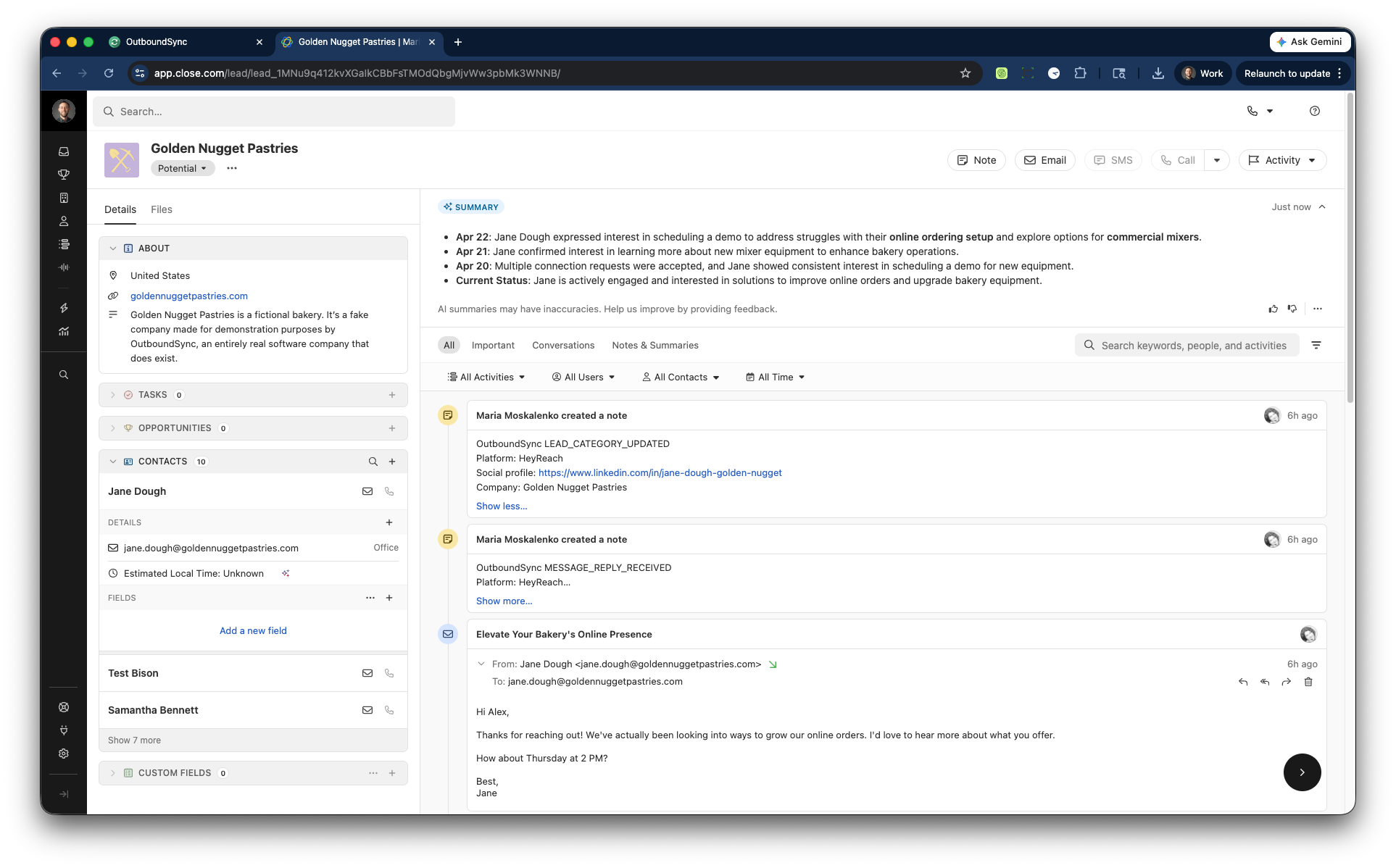
What this beta does today
Section titled “What this beta does today”- Connect Close as a CRM connection in OutboundSync.
- Sync one-way outbound email activity into Close Leads.
- Sync one-way outbound social activity into Close Leads.
- Match each event to an existing Close Lead by email, or by a Contact or Lead field you choose, so repeat events don’t create duplicate Leads or Contacts.
- Guide Close onboarding with the OutboundSync team during beta.
Current beta limits
Section titled “Current beta limits”- One-way sync only.
- Email + social supported; phone is not supported in this beta.
- Less configurability and less depth than HubSpot and Salesforce today.
- Onboarding and exact event setup are handled with the OutboundSync team.
Lookup methods
Section titled “Lookup methods”OutboundSync finds the Close Lead before it writes any activity. Choose the lookup method and the match field in the Close source settings.
Contact or Lead fields
Section titled “Contact or Lead fields”The match-field dropdown lists two kinds of field:
Contact · …fields: Close Contact properties and Contact custom fields. Existing sources that match on Contact fields keep working unchanged.Lead · …fields: Lead custom fields, including Shared fields associated with Leads. Only text, textarea, URL, email, and hidden fields are listed.
In Close, the Lead is the primary record and Contacts sit beneath it. Some teams sell to individuals, or to businesses where one person is the business: a consultant with a personal brand, a sole proprietor, or a founder-led shop with a small team. Those teams often keep the person’s email and social profile URL on the Lead itself and treat Contacts as secondary. Pick a Lead field when your identity data lives there, so events match the Lead you already have instead of creating a new one.
Method order
Section titled “Method order”- Default. Social and hybrid sources match the event’s social profile URL against the field you select. A Lead field is searched on every event that carries a profile URL, including email events from hybrid platforms. If that misses, OutboundSync matches the Contact by email.
- Alternative property. Matches the field you select against the event’s
os_objectlookup_id, or against the email whenos_objectlookup_idis missing. If that misses, OutboundSync matches the Contact by email. - Optional alternative property. Tries the profile URL field, then the email field, then the
os_objectlookup_idfield, then the Contact email.
If nothing matches, OutboundSync falls back to Lead heuristics: a Lead whose domain matches the email domain, then a Lead with the same company name. Free-email domains skip the domain match. Sources with a Lead field configured skip these heuristics. A new Lead is created to carry that identity, so different people never collapse onto one shared Lead.
How de-dupe works on a matched Lead
Section titled “How de-dupe works on a matched Lead”- Same email. OutboundSync reuses the Contact on that Lead with the same email. No new Contact is created.
- New email. OutboundSync adds a Contact for that email to the matched Lead. It doesn’t create a second Lead.
- No email (social-only events). With a Lead field configured, OutboundSync uses the Lead’s only Contact if it has exactly one. Otherwise it logs the activity on the Lead without a Contact. It doesn’t create placeholder Contacts.
- Update Only. OutboundSync never creates a Lead or Contact. Unmatched events are skipped, and activity on a matched Lead without a matching Contact goes on the Lead.
- Lead field values. OutboundSync writes Lead-field values onto every new Lead it creates. On a matched Lead, it fills only fields that are empty and never overwrites an existing value.
Supported platforms
Section titled “Supported platforms”Close beta currently supports these platforms direct:
- Smartlead
- Instantly
- Clay
- EmailBison
- Brevo
- Reply.io
- Lemlist
- Aimfox
- Drippi
- HeyReach
- Mixmax
- SalesRobot
- Salesforge
- GetSales
- Furnace
- Ken AI
- SuperSend
- HotHawk
- Master Inbox
Expandi, Salesflow, PlusVibe, and Ashby flow into Close through Master Inbox.
Salesfinity is not supported in the current Close beta — call activity does not map cleanly to Close’s email and note activity model.
Close views and Smartviews
Section titled “Close views and Smartviews”Teams can use synced emails and notes inside the views and Smartviews they build in Close. OutboundSync does not ship prebuilt Smartviews as part of the current beta.
Event coverage during beta
Section titled “Event coverage during beta”Exact event coverage is confirmed during onboarding and the first test sync. Use the setup guides below where they already exist, then validate the final flow on a real Close Lead with the OutboundSync team.
How onboarding works
Section titled “How onboarding works”- Book a demo with the OutboundSync team.
- Connect Close as a Connected Account in OutboundSync.
- Create the Close source and select your platform.
- Run a test sync and review activity on a real Close Lead.
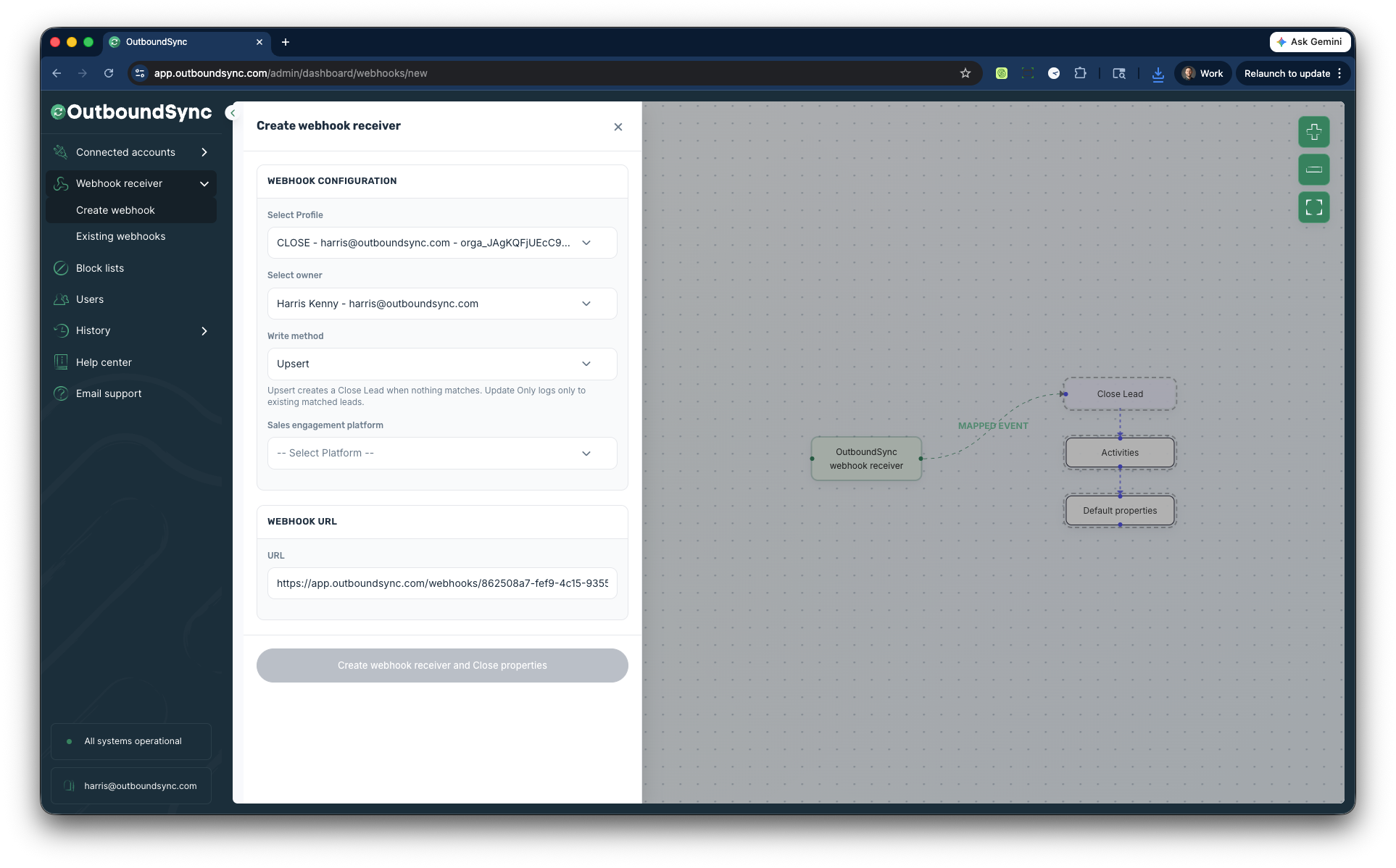
Existing setup guides
Section titled “Existing setup guides”Use the current webhook/setup guides below where they already exist:
