Webhooks (Beta)
Setting up webhooks
Register OutboundSync Webhooks in the dashboard or API — prerequisites, HTTPS URL rules, signing secrets, and the 20-endpoint account cap.
When to use this guide: You are ready to register an HTTPS endpoint so OutboundSync can deliver Sync Monitoring events. Inbound paste URLs are Sources; this page is for product Webhooks. From a coding agent, prefer the Sync monitoring skill (writes only after confirmation).
Prerequisites
Section titled “Prerequisites”- API access enabled on at least one connection (
canUseApi), if you will manage webhooks via the API. - Webhooks enabled on the account (
canUseWebhooks) — otherwise webhook and events routes return403. - An account-scoped API key. Connection-scoped keys cannot call
/api/v1/webhooks*(including GETs). - The
writescope on that key for create, update, delete, rotate-secret, test, and replay. Keys created in the admin app currently default toread; ask OutboundSync support for a write-scoped account key when you need mutations.
How to set up OutboundSync webhooks
Section titled “How to set up OutboundSync webhooks”You can register a webhook in the admin app or via the API.
Dashboard
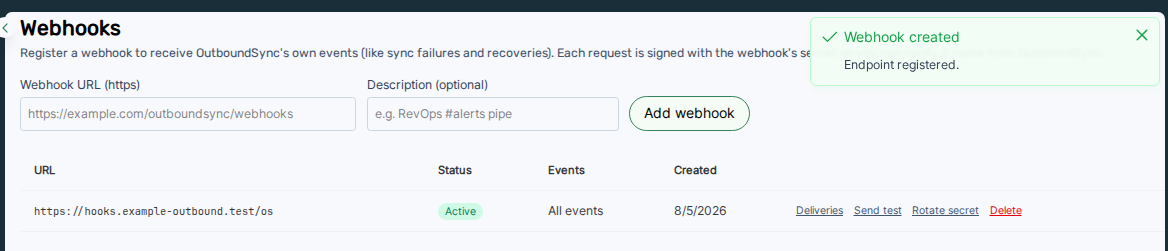
Section titled “Dashboard”- Open Platform access → Webhooks.
- Add an HTTPS URL and optional description.
- Choose event filters, or leave empty to receive all active events.
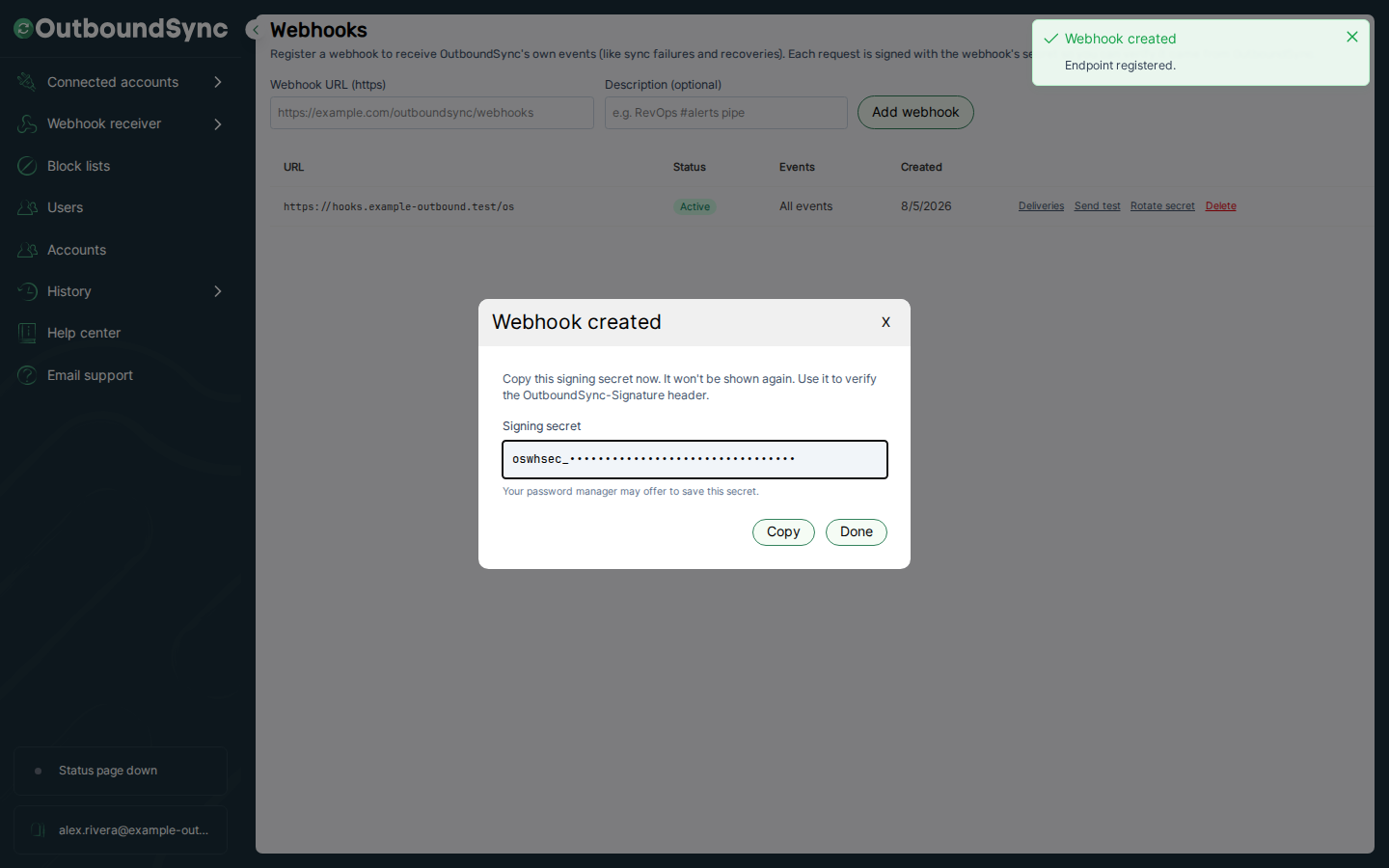
- Copy the signing secret immediately — it is shown once (
oswhsec_…).
- Create an account-scoped key with
write(see Creating API keys). POST /api/v1/webhookswith your HTTPSurl, optionaldescription, and optionalenabledEvents.- Store the returned
secret(shown once).
Full request and response shapes: API v1 — Webhooks. Try it from Try the API when the live OpenAPI document lists these paths.
URL rules and limits
Section titled “URL rules and limits”- HTTPS only. Private, loopback, and link-local targets are rejected — including hostnames that resolve to those ranges over DNS.
- An account may register at most 20 webhooks.
- Soft-delete with
DELETE /api/v1/webhooks/:id(or remove in the UI).
Next steps
Section titled “Next steps”- Verify signatures on your endpoint.
- Send a test.ping before relying on production alerts.
- Review event types so you subscribe only to what you handle.
