Integrations
HeyReach webhook guide
Set up HeyReach webhooks to send connection requests, messages, and engagement activity from HeyReach into HubSpot or Salesforce via OutboundSync.
When to use this guide: Use this guide when configuring or validating engagement platform integration behavior.
With OutboundSync, you can seamlessly integrate HeyReach into your outbound sales workflow, ensuring that all your campaign activity is tracked, routed, and synced with your CRM.
This integration enables enhanced visibility into outreach activities like connection requests, messages, engagement, and more—all directly accessible within HubSpot or Salesforce.
Use OutboundSync webhooks, not HeyReach’s native HubSpot connector. When activity flows through OutboundSync, leave HeyReach’s built-in HubSpot integration off (or disconnect it). Running both can duplicate or conflict activity on the same contacts. See the HeyReach overview for scope and limitations.
What Are HeyReach Webhooks?
Section titled “What Are HeyReach Webhooks?”A webhook is an HTTP callback that sends data to a specified URL when certain events occur in your HeyReach account.
Instead of constantly polling HeyReach for updates, webhooks allow you to receive event notifications instantly, enabling seamless integration with your applications.
If an event fails to deliver, HeyReach will retry a maximum of five (5) times over the next 24 hours to deliver that webhook payload.
Setting Up Webhooks in HeyReach
Section titled “Setting Up Webhooks in HeyReach”HeyReach allows you to set up multiple webhook URLs for each given HeyReach workspace. It does not have have sub-segmentation at the account- or client- level, since EmailBison users typically partition their accounts at the workspace-level.
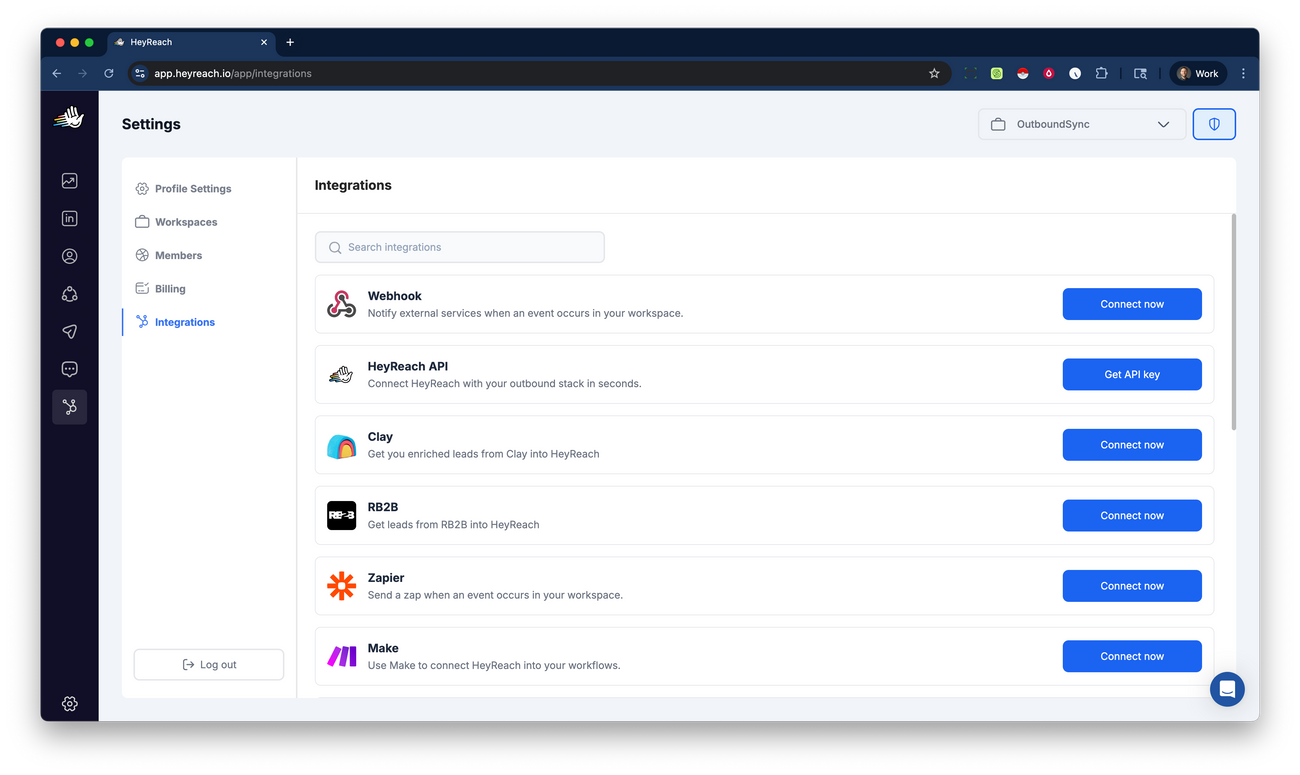
- Go to the Integrations section of your HeyReach workspace. Under the Webhook section, click Connect now.
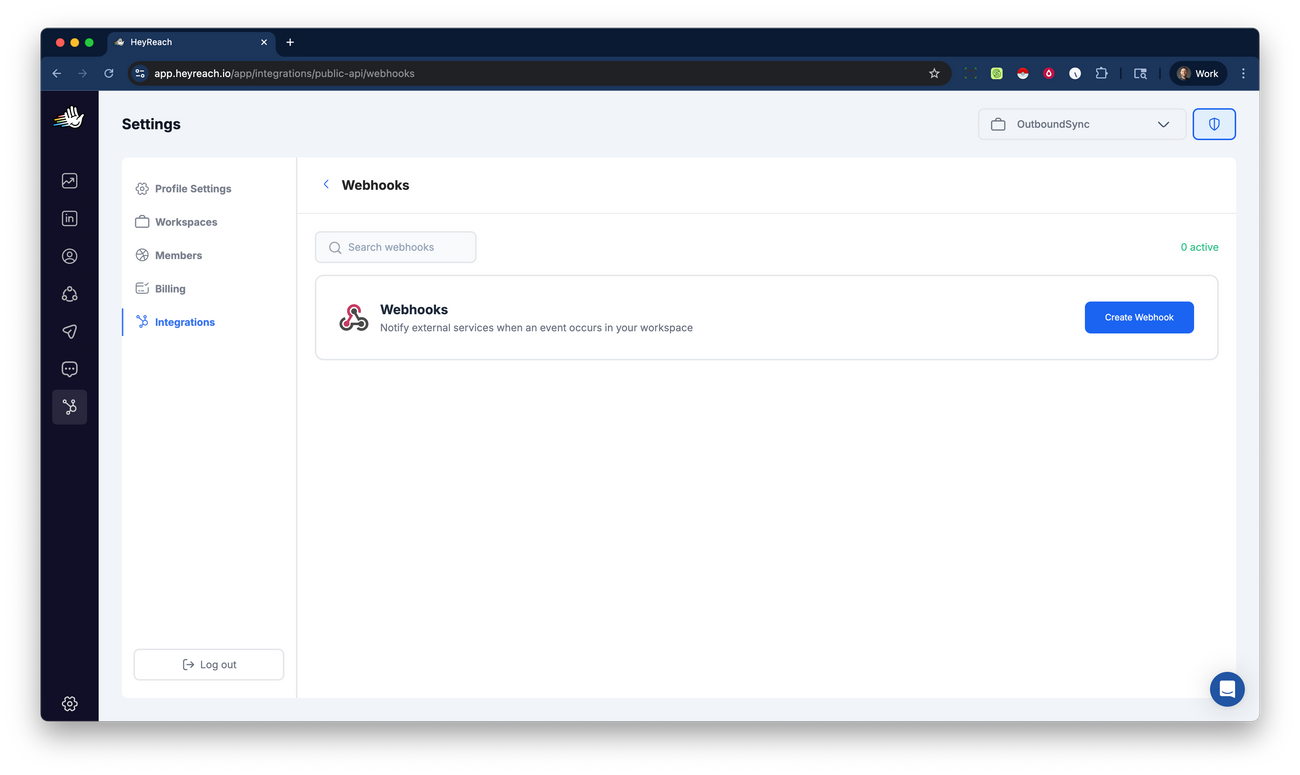
- In the Webhooks menu, click Create webhook.
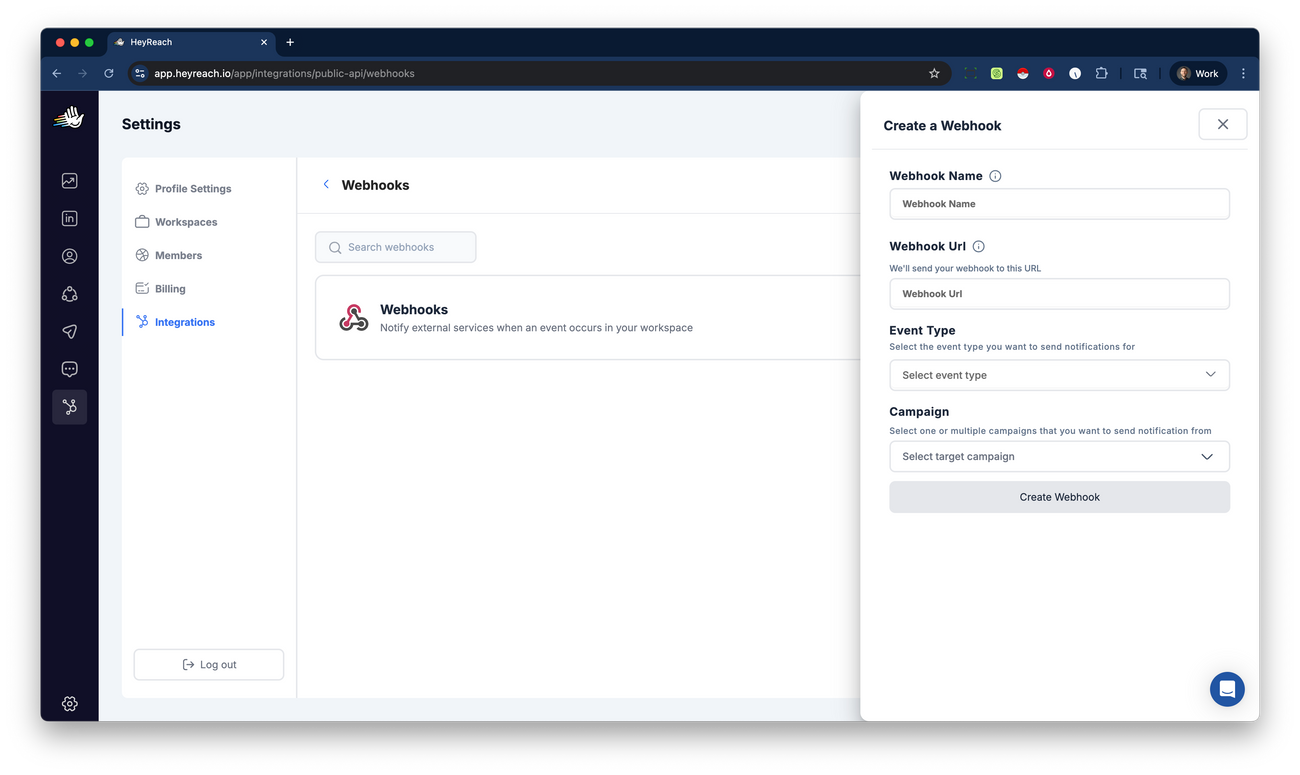
- Enter the Webhook Name, Webhook URL, select an Event Type, and select which Campaign you want this to apply to. You can pick any Webhook Name that you want, though we recommend having some sort of naming convention to help you manage your data (for example, prefixing with
OBS). Paste the Webhook URL from OutboundSync.
HeyReach does not support multi-select for event types. Create a dedicated webhook for each event you want to sync — typically about a dozen webhooks that all share the same OutboundSync URL. Decide the overall pattern first with How do I decide which data to sync?, then sync all data or only a subset via OutboundSync’s Category-based filters feature.
- Click the Create webhook button.
- Verify you can see your newly created webhook in the Webhooks section of the Integrations menu in your HeyReach workspace.
- Repeat steps 2–5 for each event type in the recommended set below.
Note as of October 25, 2025: If you are wondering about social messages that are sent outside of campaigns (i.e. normal messages). Only two webhook events trigger regardless of the campaign: Every reply received and Status tag updated. In order to receive these events, you must enable tracking and importing all conversations. ( See more information here .)
Which HeyReach events to enable
Section titled “Which HeyReach events to enable”OutboundSync supports the HeyReach event types below. Start with the recommended core set. Prefer Every Message Reply Received over first-reply-only options so later replies in a thread still sync.
Recommended core events
Section titled “Recommended core events”| HeyReach event (UI label) | Why enable it |
|---|---|
| Connection Request Sent | Connection requests your campaigns send |
| Connection Request Accepted | Acceptances that establish a new connection |
| Message Sent | Standard messages sent to prospects |
| Inmail Sent | Premium message sends |
| Every Message Reply Received / Every Message/InMail Reply Received | Replies across the conversation (not only the first reply) — prefer this |
| Follow Sent | Follows your campaigns send |
| Liked Post | Post likes, when you want that activity in CRM |
| Viewed Profile | Profile views, when you want that activity in CRM |
| Lead Tag Updated | Manual lead tags / status tags applied in HeyReach |
| Lead Auto Tagged Generic | Auto-assigned generic reply tags |
| Lead Auto Tagged Positive | Auto-assigned positive reply tags |
| Lead Auto Tagged Negative | Auto-assigned negative reply tags |
Lead Tag Updated covers manual tag changes in HeyReach. Lead Auto Tagged Generic, Lead Auto Tagged Positive, and Lead Auto Tagged Negative cover HeyReach automation (auto_tag in the payload). Create a dedicated webhook in HeyReach for each automated tag event you want in your CRM. All four events sync as Lead Category Updated activity.
Reply events (avoid doubles)
Section titled “Reply events (avoid doubles)”HeyReach exposes first-reply and every-reply options. Enabling several reply triggers for the same conversations can create duplicate CRM activities.
| Event | Behavior | Recommendation |
|---|---|---|
| Every Message Reply Received | Catches replies broadly (not limited to the first reply) | Prefer this for reply sync |
| Message Reply Received / first standard reply | First standard reply only | Skip when every-reply is enabled |
| Inmail Reply Received / first premium reply | First premium reply only | Skip when every-reply is enabled |
Practical rule: use Every Message Reply Received (plus Inmail Sent when you send premium messages). Skip first-reply-only variants unless you intentionally want only the first reply in CRM.
Skip for OutboundSync activity sync
Section titled “Skip for OutboundSync activity sync”These HeyReach events are not prospect engagement payloads OutboundSync ingests for CRM timelines — do not create webhooks for them:
- Campaign Completed (and similar campaign lifecycle events that are not tied to a lead)
Limitations and Considerations
Section titled “Limitations and Considerations”- No User-facing Webhook Logs: Note that HeyReach does not maintain user-facing data about webhook logs but does maintain robust internal diagnostic logs. Additionally, OutboundSync logs are available and we can help you review them along with our internal server diagnostic logs.
- Error Handling: HeyReach does have a policy of five (5) retry attempts within 24 hours. OutboundSync is always developing new methods to ensure we have the latest data available from HeyReach.
- Security: Implement proper security measures on your HeyReach account that will be sending webhook payloads to OutboundSync.
Best Practices
Section titled “Best Practices”- Test Your Webhooks: Before deploying to production, test your webhooks by first reviewing HeyReach’s webhook documentation and using OutboundSync’s sync test function .
- Reuse the OutboundSync URL: Create one webhook per event type in HeyReach, but paste the same OutboundSync source URL into each. Naming (for example,
OBS — connection request sent) is what keeps them distinguishable in HeyReach. - Monitor Performance: Keep an eye on your records in your CRM and history in OutboundSync. If anything seems off, contact us so we can help you diagnose the issue.
Conclusion
Section titled “Conclusion”Webhooks are an integral part of automating your workflows with HeyReach and your CRM. By understanding how they work and setting them up correctly, you can run a fully integrated outbound operation that integrates with your automations, workflows, and sales processes.
