Integrations
Pipedrive CRM beta
OutboundSync Pipedrive CRM beta — Person find-or-create, Notes on the matched Person, lookup methods, and team-guided onboarding.
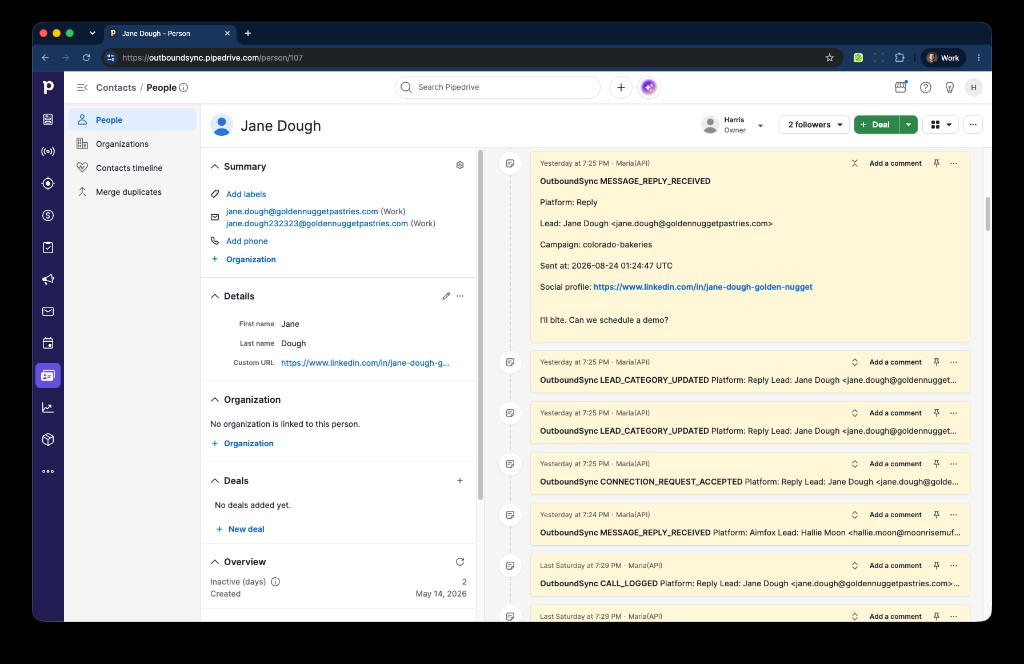
Pipedrive is available in beta as a CRM Connected Account in OutboundSync. This beta is one-way only: activity flows from your sales engagement platform into Pipedrive. Each mapped event finds or creates a Person and writes an HTML Note pinned to that Person. Pipedrive onboarding is handled with the OutboundSync team, not as a self-serve setup flow.
OutboundSync is listed in the Pipedrive Marketplace. Public OAuth is available there. The webhook receiver and first test Note still go through guided onboarding.
What this beta does today
Section titled “What this beta does today”- Connect Pipedrive as a CRM connection in OutboundSync.
- Find or create a Pipedrive Person, then write each mapped event as a Note on that Person.
- Sync one-way outbound email activity as Notes.
- Sync one-way outbound social activity as Notes.
- Sync call events as Notes on the Person (duration and recording URL when the source sends them). OutboundSync does not create native Pipedrive Activities or Calls.
- Write default properties on upsert: name and email.
- Optionally assign an owner on new Persons and Notes.
- Guide Pipedrive onboarding with the OutboundSync team during beta.
Current beta limits
Section titled “Current beta limits”- One-way sync only.
- Writes Person and Note only. Deals, Organizations, and Activities are not part of the beta.
- Block lists are not part of the Pipedrive beta.
- Less configurability and less depth than HubSpot and Salesforce today.
- Onboarding and exact event setup are handled with the OutboundSync team.
Lookup methods
Section titled “Lookup methods”How OutboundSync matches the Person depends on the source:
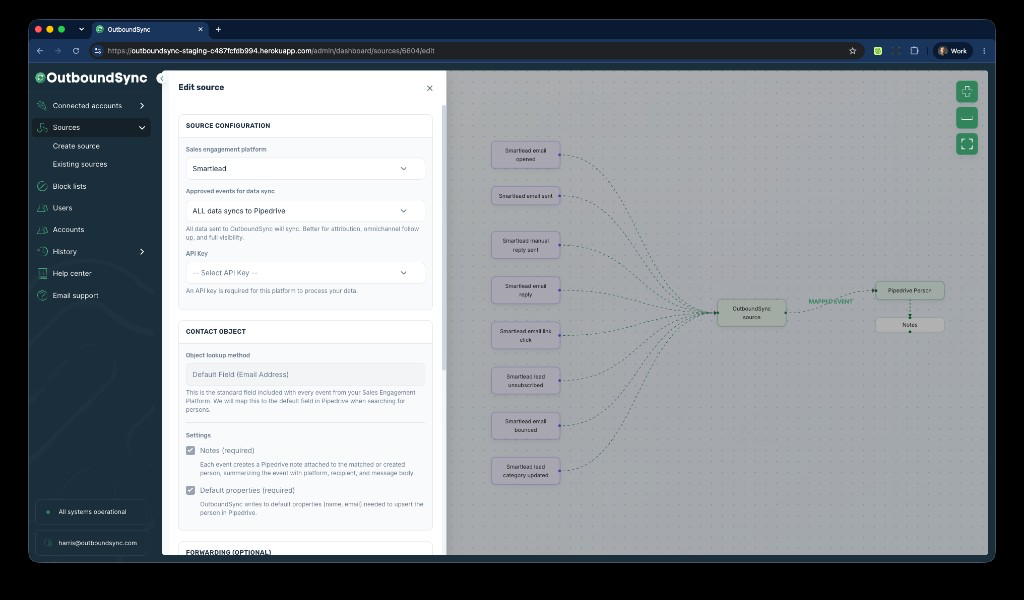
- Email SEPs. Lookup is locked to Default Field (Email Address).
- Social and hybrid SEPs. Lookup uses Default Field (Social Profile) plus a required Person field for the social profile URL. The app helper text names that field LinkedIn; set it to the Person property that stores the profile URL.
- Custom field. You can also match on a selected Pipedrive Person field (standard or custom) using the source lookup id. Optional-alternative lookup tries that field first, then falls back to email or social profile URL.
Notes and default properties (name, email) are required and locked on.
The OAuth email used to connect Pipedrive must match the OutboundSync user. The app rejects a mismatch.
Supported platforms
Section titled “Supported platforms”Pipedrive beta currently supports these platforms direct:
- Smartlead
- Instantly
- Clay
- EmailBison
- Brevo
- Reply.io
- Lemlist
- Aimfox
- Drippi
- HeyReach
- Mixmax
- SalesRobot
- Salesforge
- GetSales
- Furnace
- Ken AI
- SuperSend
- HotHawk
- Master Inbox
Expandi, Salesflow, PlusVibe, and Ashby flow into Pipedrive through Master Inbox.
Salesfinity is not supported in the current Pipedrive beta.
Pipedrive filters and views
Section titled “Pipedrive filters and views”Teams can use synced Notes on Persons inside the filters and views they build in Pipedrive. OutboundSync does not ship prebuilt filters or views as part of the current beta.
Event coverage during beta
Section titled “Event coverage during beta”Exact event coverage is confirmed during onboarding and the first test Note. Use the setup guides below where they already exist, then validate the final flow on a real Pipedrive Person with the OutboundSync team.
How onboarding works
Section titled “How onboarding works”- Book a demo with the OutboundSync team.
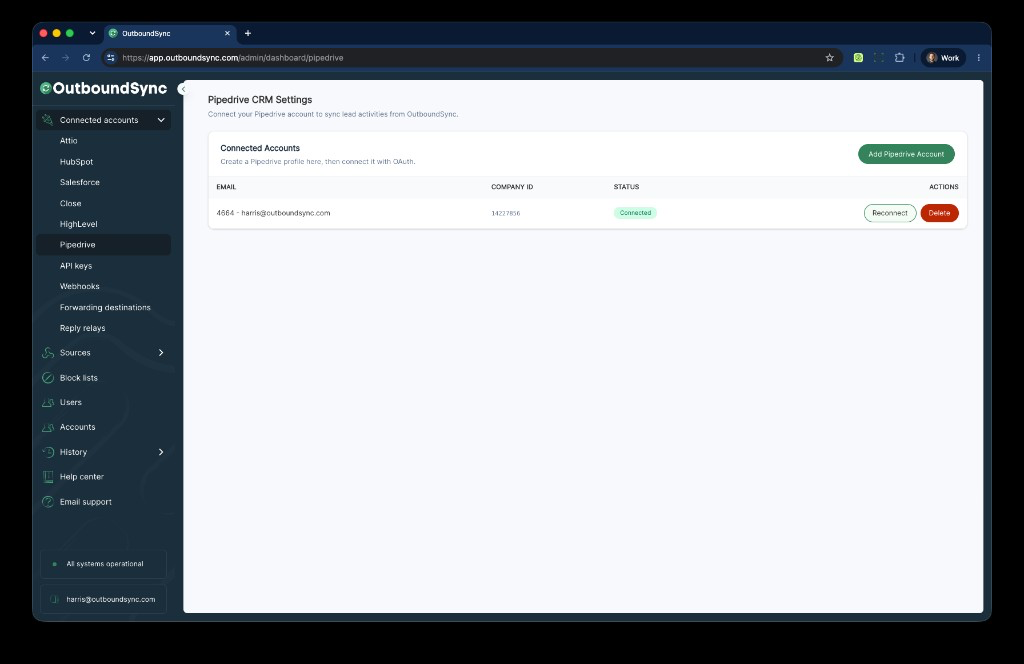
- Connect Pipedrive as a Connected Account in OutboundSync. The OAuth email must match the OutboundSync user.
- Create the Pipedrive source and select your platform.
Social sources use the same Person → Notes mapping with social profile lookup:
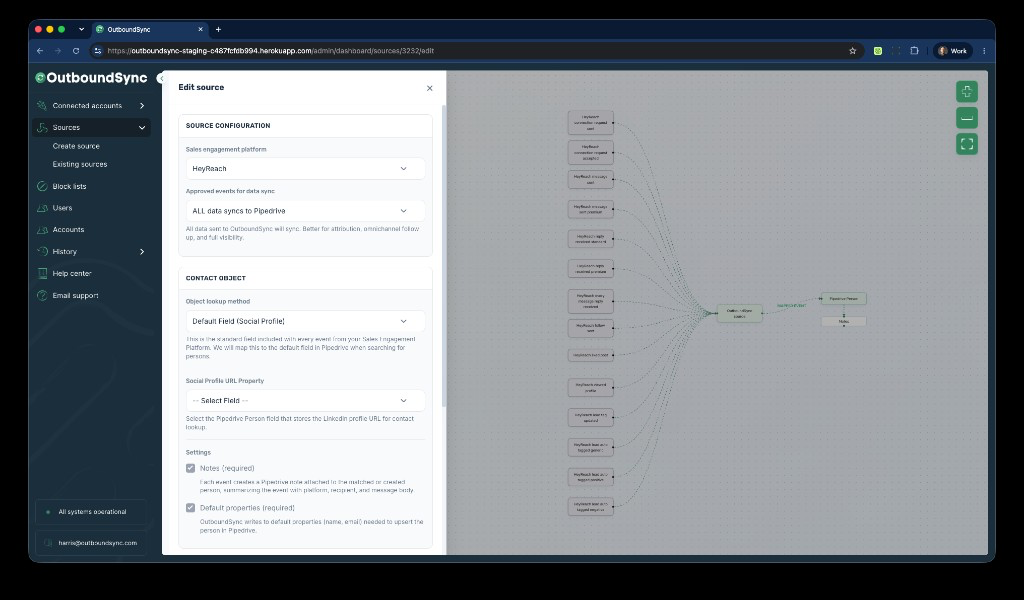
Email sources lock lookup to Default Field (Email Address). Notes and default properties stay required. Social and hybrid sources use Default Field (Social Profile) plus a required Person field for the social profile URL.
- Run a test sync and review the Note on a real Pipedrive Person.
Existing setup guides
Section titled “Existing setup guides”Use the current webhook/setup guides below where they already exist:
