Last updated:
Run a pre-flight campaign check with the OutboundSync API
TL;DR. Campaigns fail for copy, offer, list — and ops. Watch the ZoomInfo → Instantly → HubSpot walkthrough below, then run the same readiness check yourself with the Preflight Agent Skill in Cursor, Claude Code, or Codex.
When a campaign underperforms, people blame the copy, the offer, or the list. Sometimes it was ops: no webhook into OutboundSync, no block list, activity never hitting the CRM. The video shows that end-to-end — list build in ZoomInfo GTM Studio, a check in Cursor (Grok 4.5 here) using the OutboundSync API plus Instantly’s MCP from Brandon Charleson at Top of Funnel, then enroll only when the path into HubSpot is clear.
The shorter API announcement is here: The OutboundSync API is now in public beta. The transcript below covers the demo beat by beat; you do not need the prose to retell it.
Run the check yourself
The useful part is doing this on your own account. Install the Preflight skill, put an OutboundSync API key in $OUTBOUNDSYNC_API_KEY, and ask your agent something like “am I ready to launch?”
npx skills add outboundsync/skills --skill preflight -gPreflight is read-only. It checks CRM OAuth, sources and sync, and — when it can reach the platform — mailboxes, webhooks, and campaigns. It returns Ready or Not ready, a status gauge, and a Next list when something still needs fixing. Setup notes for Cursor, Claude Code, and Codex: Install skills. Full pack: Agent Skills · catalog. Keys: creating API keys.
In the recording, OutboundSync itself was fine — Instantly had no webhook pointed at us, so a “healthy” account would still get zero activity. A missing block list showed up too (optional in product; expensive after the fact). Wire the receiver with the Instantly webhook guide; keep CRM suppressions current via HubSpot block lists and the block list maintenance guide.
Watch the walkthrough
Transcript
0:00 If you’ve ever had a campaign fail, maybe it’s your copy, maybe it’s your offer, maybe it’s your list, or maybe it was your ops.
0:11 What we’ve seen at OutboundSync is that there are a lot of moving pieces when it comes to running outbound these days, and our new API is designed to help teams have better visibility into the connectivity between those tools.
0:24 And we want to help you see both what’s going on and ultimately help you fix those issues inside of Cursor, Claude Code, Codex, and the other tools where we’re increasingly seeing people do their work every single day.
0:36 They want to connect all these different tools in one place, build lists, check and fix connections, get the data into the CRM, and ultimately get new leads and grow the business. So we’re going to talk through that today.
0:49 I’m going to introduce you to a handful of new endpoints in the OutboundSync API, and I’m going to show you how it works with a few tools.
0:58 So we’re going to do a sample end-to-end workflow. As we do more of these, we’re going to show more and more tools.
1:04 In today’s video, we’re going to be previewing ZoomInfo’s brand new GTM Studio product, which is a pretty exciting product direction that they’re going in.
1:12 From my perspective, I’ll show you why, and we can talk about the history of that and why it’s interesting.
1:17 We’re also going to talk about running this inside of Cursor, using the new Grok 4.5 model. And we are going to plan on sending the data through Instantly and ultimately sync it into HubSpot CRM.
1:34 OutboundSync is going to be the connector that helps tie all these things together — to get that campaign ultimately into the system of record, where we are going to have our sales reps managing replies and potentially using that for re-engagement and running paid ad audiences and whatever else you want to do out of your CRM.
1:48 But again, these are just single tools that we’re going to feature today to show a workflow.
1:54 We’re going to show lots of others as we record more of these and talk more about the API and keep rolling out more functionality.
2:00 So, let me shrink myself down here and let’s get started. Before I jump into it, I just want to give you a little context.
2:10 We’ve got our sample company. This isn’t real. Pueblo Machine Company is a fictional machine company that sells to bakeries. We’ll use that as our example in the video.
2:20 We’ve got ZoomInfo GTM Studio pulled up here. Now, I actually built this initial list in the UI. I’m going to show you that you can actually do this through their MCP connector and you can do a lot inside of Cursor or Claude Code or these other tools.
2:33 But this is what it looks like in the UI. People are used to that. It’s nice to see sometimes what things look like and not just get little AI blurbs.
2:43 What’s most interesting here is you can see that ZoomInfo is bringing the substantial amount of categorized data and structured data that they have to users at a much more accessible and more flexible price point and form factor.
3:01 Historically, you had to have an annual subscription. You had to have a separate subscription for the API. But now, you can see they’re starting to make data available in the way that people are used to.
3:13 So I can build this very highly specific list of owners of restaurants, specifically bakeries with 5 to 10 employees in Colorado.
3:22 And I want the contacts of the company to be in Colorado. And then, boom, here’s my list. Now, I’m going to pull up Cursor in a second and show you how we’re doing it there.
3:29 But they’ve got documentation here on how to connect all these tools. And that is what we will be showing off today with the Cursor MCP connector for ZoomInfo.
3:37 I started off my conversation here with Grok saying, hey, just pull up this audience of Colorado bakeries.
3:50 And it did that. And it’s got a little canvas. You can click this canvas through and it’ll show you your actual list.
3:54 It’s got email addresses on here, so I don’t want to show that on the screen. Then, we’ve got a Cursor rule, which can also be in an AGENTS.md file, where you can say, hey, I want to enroll these in a campaign, run a pre-flight check.
4:01 Now, what’s cool is that we’ve got the MCP server from Instantly, developed by a friend of OutboundSync, Brandon Charleson, and his team at Top of Funnel.
4:16 So, we’re going to use Brandon’s Instantly MCP server, which is their official one. And we’re going to use the OutboundSync API, and Grok is going to just go through a whole series of checks for us that historically would have been a lot of clicking around.
4:29 Now, you can see the canvas up here on the right side of the screen in Cursor, but this is the check that it ran.
4:37 So, it went in, it looked in my OutboundSync account. There’s a few connected platforms. Instantly is what we’re really interested in.
4:44 Now, there’s nothing technically blocking this in OutboundSync. However, there is an issue. And because Instantly surfaces this, it’s really helpful.
4:52 They’re showing you that, by the way, there’s no webhook created in Instantly. So, you can run that campaign and technically there’s nothing wrong with OutboundSync, but we’re not going to get the data.
5:02 And this is where I think that as we roll this out as an MCP, we’ll be able to be even more helpful for folks.
5:06 But technically, from an OutboundSync perspective, the account is active and it has authorization. The API has been connected, and there’s nothing stopping OutboundSync — OutboundSync is not stopping the data, but we’re also not receiving it.
5:20 And the cool thing is that this was flagged. And so, as we’re going through this, we’re going to be reminded of that, and it’s going to prevent us from moving forward because it’s going to say, hey, look, there’s no way to get the data in there.
5:30 So, pretty cool that Instantly makes all that available through their MCP. And then we can just go right from that list that we built in GTM Studio, right to direct enrollment into Instantly.
5:42 We know that it’s going to land in the CRM, and we’re good to go. Now, I’m going to show you just how easy it is to create that API key inside of OutboundSync, but this is the flow of data.
5:54 So, we’ve got Instantly, it’s going to be firing off these webhook events, and this is what’s missing outside of Instantly.
5:58 And we have additional endpoints where you can say, hey, give me this URL, and then we can drop that URL into Instantly to get that connection restored, basically, and to get that fixed.
6:11 So, these events are going to be sent — emails opened, links clicked, all that Instantly data — and that feed is going to pipe through OutboundSync’s webhook receiver, and this is going to be pre-configured to apply the rules for the company.
6:23 Do you want to assign it? Do you want to create or update? Do you want custom contact properties?
6:31 There’s a lot of different kind of logical operators you can apply in OutboundSync, including doing an update-only sync, for example.
6:38 And then it’s going to drop into HubSpot, and one thing that it flags is that there’s no block list.
6:43 This is definitely something we see. So, we’ve already identified, hey, there’s no connection in Instantly, that can be a problem, and then the other one is block list.
6:49 Block lists, or forwarding the data on to additional destinations beyond the CRM. And those are definitely places where we’ve seen, after the fact — hours, days, weeks, months later — people realize, hey, oops, we emailed a customer we shouldn’t have, we forgot to set up that block list, and this is the kind of thing we want to help you prevent from happening in the first place.
7:04 So, you make your API key very quick and easy.
7:11 You can define the connection scope. You can do it for your entire account, if you’re an agency and have multiple seats, or you can just scope it down to a single CRM connection, and a team can also create that API key and share it with their agency.
7:25 So, an agency can also have access to this connection, even if you want the internal team to be the one that’s actually holding the account keys.
7:35 And then, ultimately, like this issue we flagged here is that there’s no block list. You can go into HubSpot, you can create that list, you can then connect that list so it’ll be pushed into the block list dynamically over time.
7:48 As there are updates, it’ll push them to Instantly, and you’ll be good to go. So, this is just kind of an overview of how it works.
7:55 Right now, we’re very focused on read-only, and I’m going to show you what these endpoints are now, just so you can kind of see it.
8:05 This is version one, right? We’re summer, July 2026. This is version one of our API. There’s going to be a lot more that gets shipped to you over time.
8:18 But you can see, you can find out about the connected user. You can find out about the account status.
8:24 This is what we talked about before. These warnings and blockers — OutboundSync-specific warnings and blockers — connected accounts, and then sources.
8:33 So, this is the ability to basically read what’s going on inside of the account and then identify remediation as needed to make sure that everything is wired up correctly.
8:41 And these are checks that you could run every single time you ship a campaign, always making sure the block list is connected, always making sure that the webhook connection is correct.
8:51 You can even fetch and make sure that you’ve got the right webhook connection. Definitely seen folks mix up which webhooks they’re putting into the sales engagement platform.
9:01 And so this will help you get ahead of that. So here’s a little preview showing a few tools. Let me know what was interesting, what you’d like to see.
9:08 We’ve got a lot more coming. We’re going to be showing some forthcoming features, new features, new endpoints, how to use webhooks, the OutboundSync MCP server, and a lot more.
9:19 And using some other tools like Freckle, LeadMagic, Claude Code, and Codex. So stay tuned, let me know what you’d like to see, and let me know what pain points or paper cuts you get when you’re trying to ship and run campaigns.
9:32 Because this is the kind of stuff that we’re trying to solve for. And it’s just the beginning.
9:39 We think there’s a lot of work to be done, but fortunately we integrate with great platforms and so we’re able to do a lot very quickly by plugging into what’s already out there.
9:47 And I’m really excited about this and kind of this next stage of the company and the workflows we’ll be enabling.
9:52 And I appreciate you being along for the ride and giving feedback, watching this video, and making it this far.
9:57 Look forward to hearing your feedback. Thanks. Bye.
Get started
- Preflight skill — run the check from your agent
- Install skills
- Agent Skills overview · catalog
- Create an API key
- API overview · v1 reference
- Instantly webhook guide
- HubSpot block lists
- Instantly + HubSpot
Want to see it against your own CRM data? Book a demo.

Founder & President, OutboundSync
15+ years in B2B sales and operations. Former HubSpot Solutions Partner and Smartlead expert. Built the agency that became OutboundSync.
Similar posts
Running outbound with Supabase monitoring your TAM
Companies keep customers in the CRM and the rest of the TAM in a database. How OutboundSync forwarding, API, webhooks, and MCP sit next to Supabase.
Harris Kenny
Build vs buy: getting outbound data into your CRM
Should you build your outbound-to-CRM sync with Zapier, Make, or n8n, or buy it? Use OutboundSync's three calculators to run the build-vs-buy math.
Harris Kenny
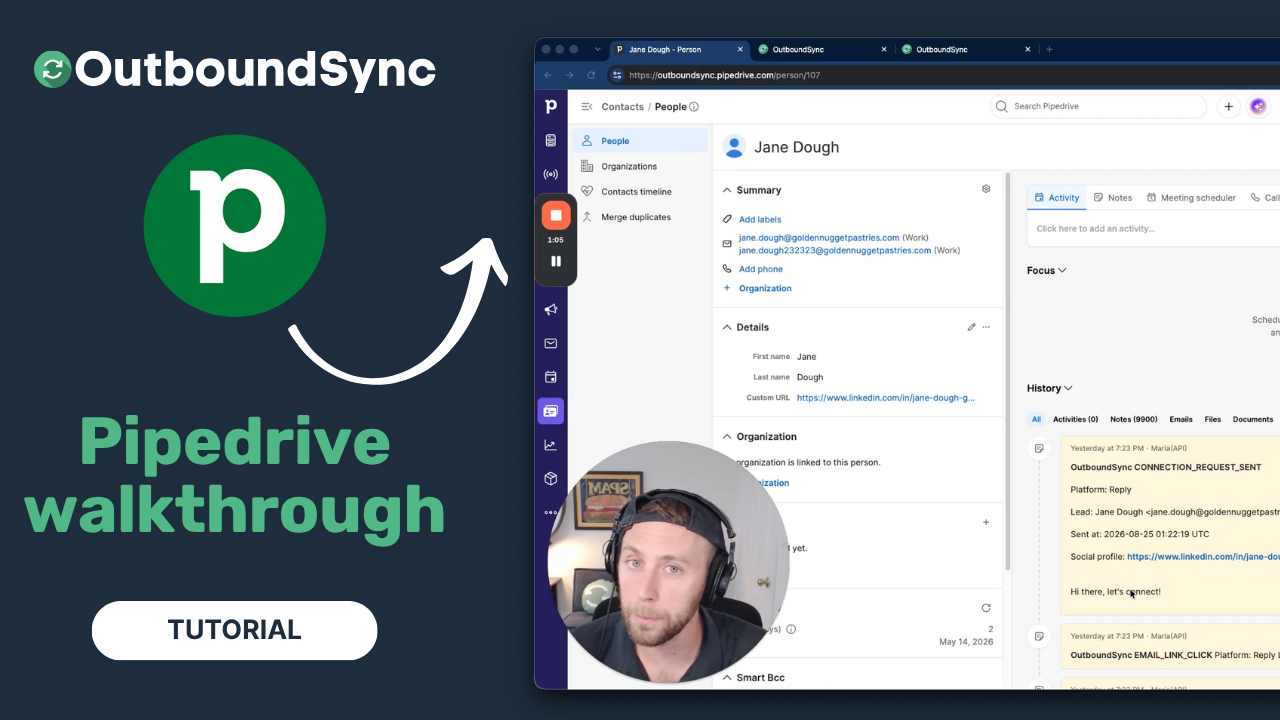
Pipedrive integration walkthrough
Watch a full walkthrough of the OutboundSync Pipedrive integration — connect via the Marketplace, configure your sync, and log outbound activity as Notes.
Harris Kenny