Last updated:
Running outbound with Supabase monitoring your TAM
Companies use their CRM to manage relationships with customers. That is the right place for people already in the motion — accounts you sell, contacts you email, records sales and RevOps report from.
Some teams also keep a database of the total addressable market: buyers who are not in-market yet, and contacts and companies that do not meet the inclusion criteria to live in the CRM. The TAM is larger than the CRM on purpose.
Early-stage teams often put that TAM in Supabase. It is easy to stand up, and it is Postgres, which is the reliability people already trust.
Several OutboundSync agencies have built TAM mapping for customers this way — Nebor, Growth Engine X, and Outbound Buddy among them.
OutboundSync is built to sit in that workflow. This article is how the live surfaces — forwarding, the prior-outreach API, Sync Monitoring webhooks, and hosted MCP — tie to a Supabase TAM and the outbound / GTM motion around it.
There is no native Supabase connector. The directory lists it as Direct Integration — Planned. You own the function. We own the pipes.
Activity lands in two places
Instantly posts campaign events to OutboundSync. We match the contact, sync HubSpot activities and timeline, and forward a copy into Supabase.
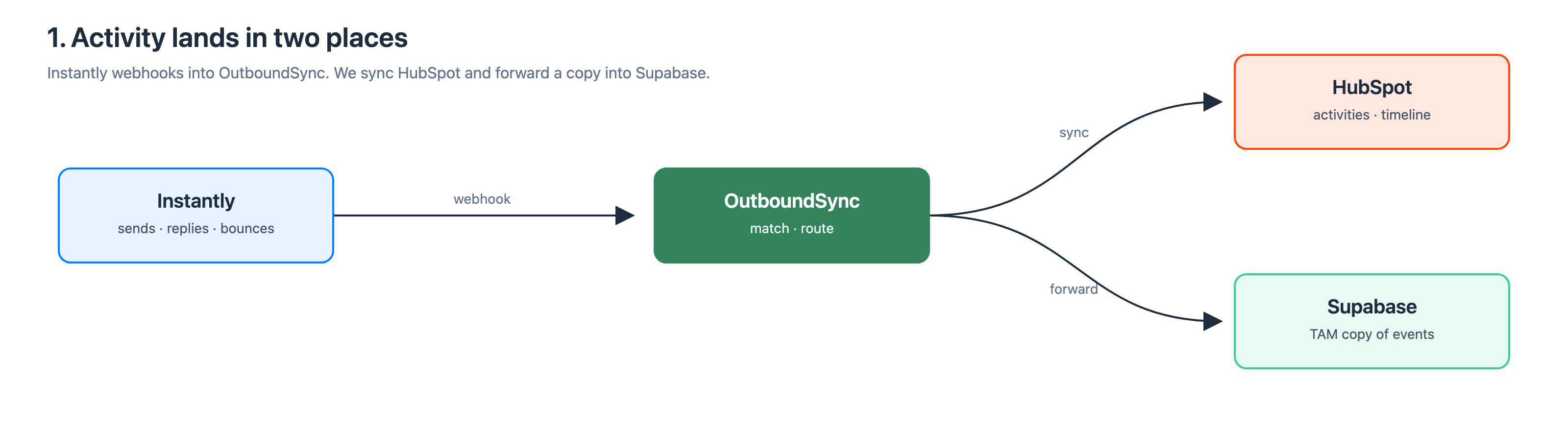
Turn Instantly’s native HubSpot connector off. Running both duplicates activity and fights over the same records. Configure Instantly webhooks into OutboundSync instead — see the Instantly overview.
What HubSpot gets: sends, opens, clicks, replies, bounces, unsubscribes, and Instantly labels. Sales works the timeline. RevOps runs workflows. Marketing reports without exporting the sequencer.
Forwarding is not a fire-and-forget POST. On 429 we jitter, then retry with exponential backoff up to seven times. Oversized payloads get HTML fields flattened to text and retried. Delivery logs and API replay are there when a Supabase function flakes.
A reply should stop the rest of the motion
OutboundSync does not pause an Instantly campaign. The stop is a HubSpot list we push into Instantly as a blocklist. Same path for HeyReach when you add it.
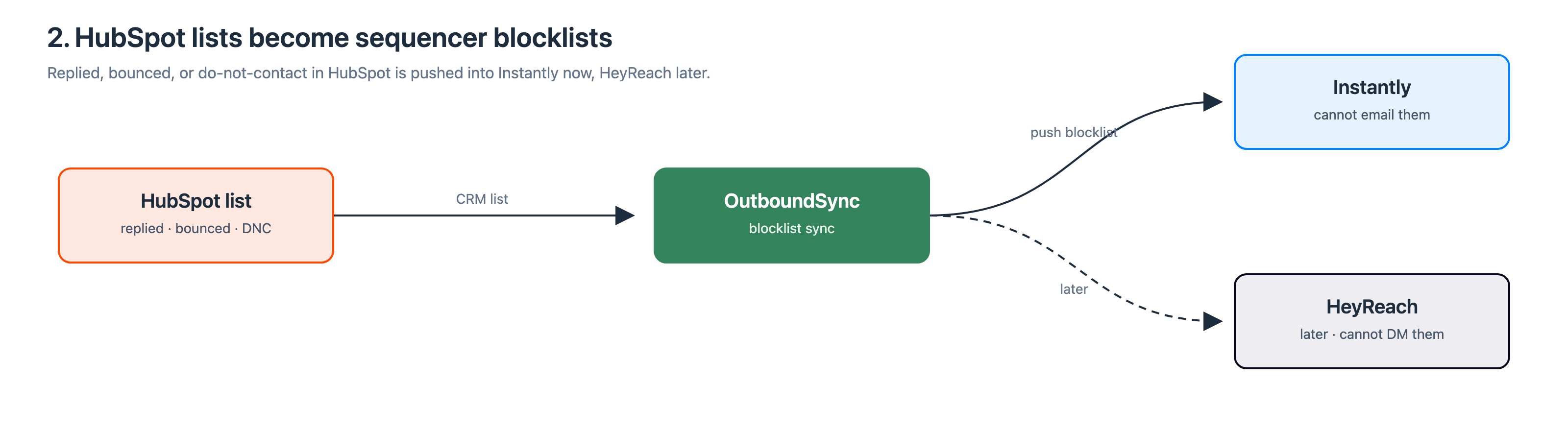
Put replied — and whatever else you treat as leave-them-alone — on a HubSpot list. We push that list into the sequencer. An email reply can stop social. A social reply can stop email. Dedicated workflows, lists, and reports stay in HubSpot.
Ask before you enroll
Supabase holds the TAM. Before Instantly enroll, the job asks OutboundSync whether that person already has outreach.
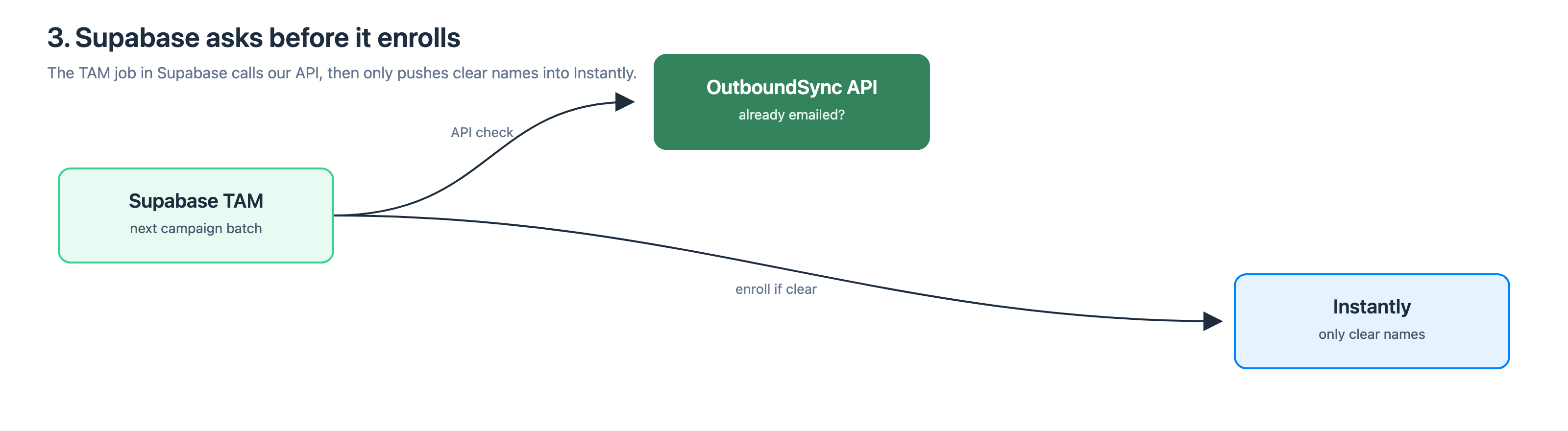
GET /api/v1/contacts/outreach takes an email, a social profile URL, or both. You get last touch, days since, bounce or unsubscribe, the history we logged, and which platform. If we never touched them, you get that too. Skip or delay enroll from that answer — Check prior outreach is the how-to.
HeyReach later
Same HubSpot connection. Same Supabase forwarding destination. Second source. You do not rebuild the TAM. You add a social selling platform on the motion you already run.
When HubSpot is stale, get pinged
Forwarding can keep the TAM current while HubSpot is behind. If CRM sync is failing, Supabase is not the whole picture.
Sync Monitoring webhooks are OutboundSync-emitted events. They are not Instantly paste URLs, and they are not forwarding destinations. You register an HTTPS endpoint. We POST a signed sync.failed after three consecutive failed syncs for that source and connection — one alert per incident, not every failed job — then sync.recovered when it is healthy again.
Point that URL at Slack, PagerDuty, or another Supabase function. Do not poll the API for this. Reserved names such as destination.forward_failed are not live. Do not subscribe to them.
Same checks from Cursor or Claude Code
If the team already lives in an agent harness, do not hand-roll REST for one-off checks. Hosted MCP wraps the live API v1 tools at https://mcp.outboundsync.com/mcp. Same Bearer key as REST. Streamable HTTP. No local process.
For this stack:
get_contact_outreach— the enroll check from the agentget_account_status,list_syncs, andretry_sync— when HubSpot is unhappy (writescope; confirm before you retry)- webhook tools need an account-scoped key. Connection-scoped keys get
403, same as REST.
Prefer MCP when the agent is connected. Use REST from the Supabase function. How the surfaces fit together is on AI and Agents. Setup is in the MCP guide.
Frequently asked questions
Does OutboundSync have a native Supabase integration?
No. The integrations directory lists Supabase as Direct Integration — Planned. What you can run today is forwarding Instantly or HeyReach events into a Supabase function, then calling GET /api/v1/contacts/outreach before enroll. Until a native tile ships, you own the function and we own the pipes.
Should I keep Instantly’s native HubSpot connector on?
No. Point Instantly webhooks at OutboundSync and leave Instantly’s native HubSpot connector off. Running both duplicates activity and can fight over the same contacts. Native connectors also struggle to attach activity to people who already exist in HubSpot. OutboundSync matches those records and logs sends, replies, bounces, and labels as structured activity.
How does a reply stop further outreach?
OutboundSync does not pause an Instantly campaign. Put replied, bounced, or do-not-contact people on a HubSpot list. We push that list into Instantly as a blocklist, and into HeyReach when that source exists. An email reply can stop social, and a social reply can stop email. The CRM list is the control surface.
What is the difference between forwarding destinations and Sync Monitoring webhooks?
Sources are Instantly paste URLs into OutboundSync. Forwarding destinations copy those sales-engagement payloads to Supabase, Slack, or Make. Sync Monitoring webhooks are OutboundSync-emitted alerts: a signed sync.failed after three consecutive failed syncs for that source and connection, then sync.recovered. They are different objects. Do not point Instantly at a Sync Monitoring URL.
Can I run the prior-outreach check from MCP instead of REST?
Yes. The contract is the same. REST is GET /api/v1/contacts/outreach from the Supabase function. Hosted MCP exposes get_contact_outreach to Cursor or Claude Code with the same Bearer API key. Prefer MCP in the agent. Use REST in the enroll job. Webhook tools still need an account-scoped key. The AI and Agents hub maps how those surfaces sit in one loop.
What changes when we add HeyReach later?
Add a second source on the same HubSpot connection. Reuse the Supabase forwarding destination. Blocklists from the same HubSpot lists cover the new channel. You do not rebuild the TAM. Email and social stay on dedicated HubSpot workflows, lists, and reports, including social activity once that source is live.

Founder & President, OutboundSync
15+ years in B2B sales and operations. Former HubSpot Solutions Partner and Smartlead expert. Built the agency that became OutboundSync.
Similar posts
Build vs buy: getting outbound data into your CRM
Should you build your outbound-to-CRM sync with Zapier, Make, or n8n, or buy it? Use OutboundSync's three calculators to run the build-vs-buy math.
Harris Kenny
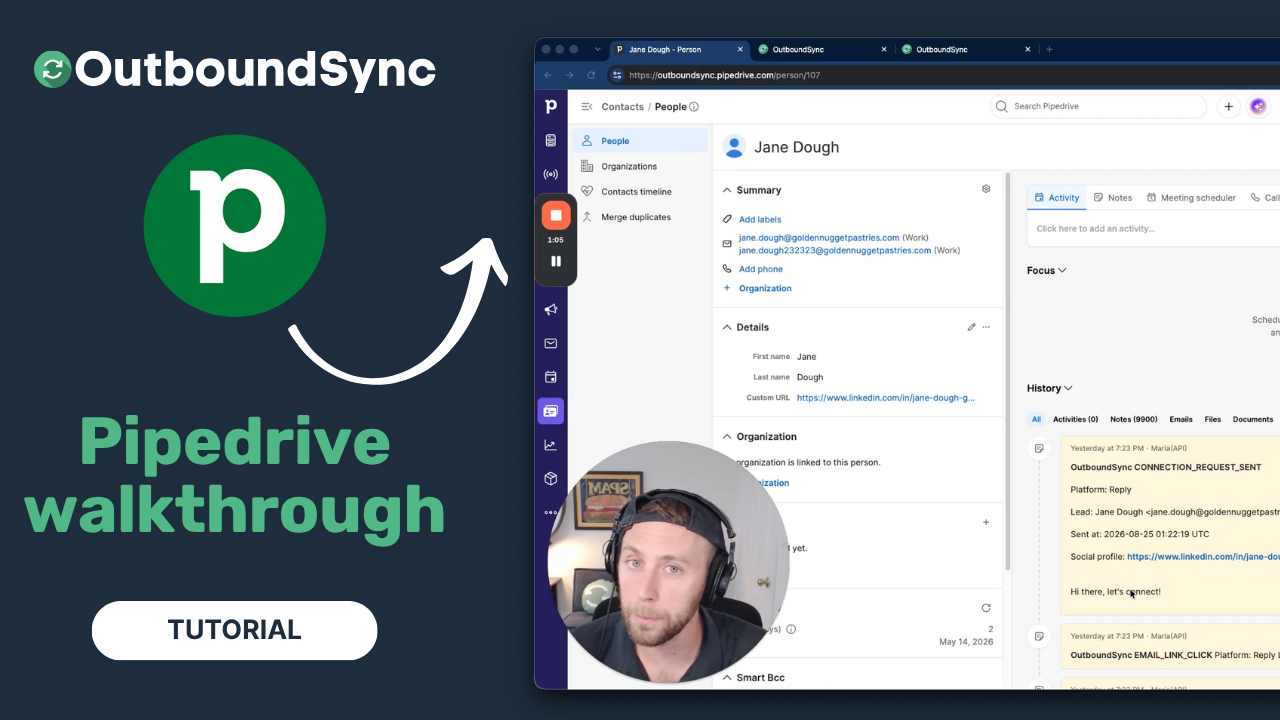
Pipedrive integration walkthrough
Watch a full walkthrough of the OutboundSync Pipedrive integration — connect via the Marketplace, configure your sync, and log outbound activity as Notes.
Harris Kenny
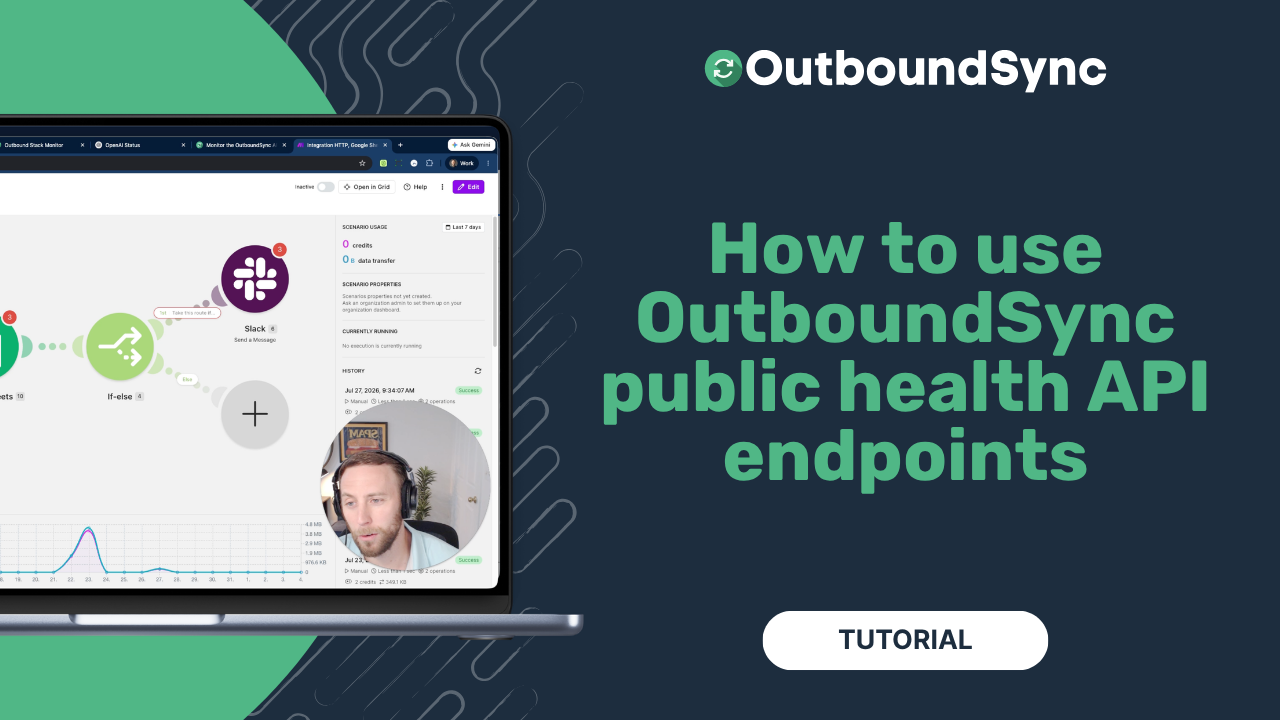
Using OutboundSync public health endpoints
OutboundSync public health endpoints: live vs ready, no API key. Watch the walkthrough and follow the Make tutorial to monitor outbound CRM sync.
Harris Kenny