
Last updated:
Resync your blocklists for year-end campaigns
Heading into year-end, most teams are planning re-engagement: closed-lost deals from earlier in the year, leads who went quiet, contacts whose cooldown has finally run out.
There’s a catch. Your block list probably still has all of them on it.
Why your block list only grows
When you sync a HubSpot or Salesforce list into your sequencer as a block list, OutboundSync adds to it. It never removes anyone.
That’s the safe default. Nobody wants a sync job quietly unblocking a customer. But it means that when a contact leaves the CRM list (the deal went closed-lost, or they aged out of your “contacted in the last 90 days” list), they stay blocked in Smartlead, Instantly, EmailBison, HeyReach, or Lemlist.
Give it a year and your block list is full of people you’d happily email today.
Blocklist resync reloads from your CRM
Resync rebuilds the block list from whoever is in your CRM list right now. Clear the old list in your sequencer first, and after the resync, it holds exactly the people your CRM still wants blocked.
You can run it three ways:
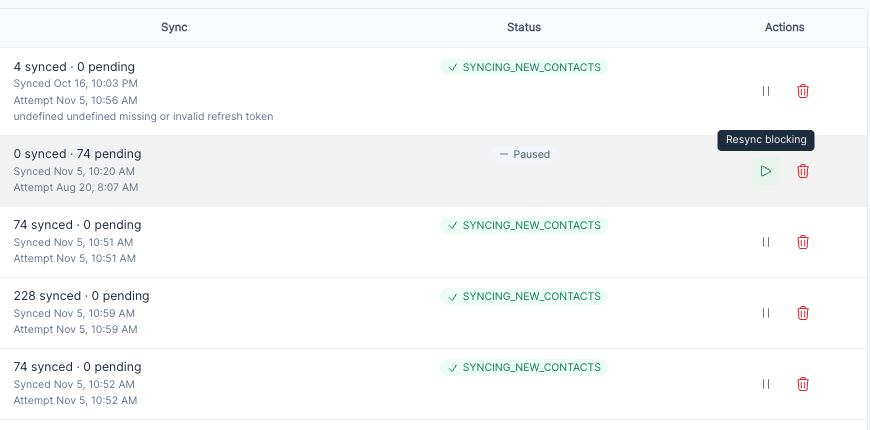
- Dashboard: click Resync blocking on the list in OutboundSync.
- API:
POST /api/v1/blocklists/:id/resync. - MCP: ask your agent to run
resync_blocklist.
A year-end reset in four steps
- Pause blocking in OutboundSync. Click Pause blocking on the list. OutboundSync stops fetching from your CRM and stops pushing to your sequencer while you work.
- Clean up the CRM list. Tighten the criteria, close out stale deals, and refresh your cooldown window.
- Pause live campaigns, then clear the matching block list in your sequencer. From this moment until the resync finishes, nothing is blocked, including customers and open deals. Don’t skip the campaign pause. OutboundSync never deletes anything in your sequencer for you, so this step is yours.
- Resync blocking. The list moves through Fetching and Syncing. Once it shows Synced, it matches your CRM. Turn your campaigns back on, and the leads who dropped off the list are eligible for Q1.
Make it a routine
Don’t want to do this every December? Put it on a schedule, monthly or quarterly.
With a write-scoped API key, find the list, then resync it:
# 1. Find the block list idcurl https://app.outboundsync.com/api/v1/blocklists \  -H "Authorization: Bearer $OUTBOUNDSYNC_API_KEY"
# 2. Queue a full reload from the CRM listcurl -X POST https://app.outboundsync.com/api/v1/blocklists/12/resync \  -H "Authorization: Bearer $OUTBOUNDSYNC_API_KEY"
A 409 means a resync is already running or the list has no CRM source. Skip that run or back off. Your agent can do the same over MCP with list_blocklists and resync_blocklist, using the key you already have.
The scheduled resync recipe in the API docs covers the full flow, including polling until the list is done.
Check this first
Resync only unblocks people who are no longer in the CRM list. If your list is “everyone we’ve ever contacted,” nobody ever leaves it, and a resync changes nothing.
The lists that benefit are the ones built on deal stage or a time window. For more on choosing durable versus time-based criteria, see the block list maintenance guide.
Try it today
Blocklist resync is live on any connection with block lists enabled. If you need block lists or write scope turned on, email support@outboundsync.com or chat with us in the app.
One more thing: if you haven’t set up Sync Monitoring webhooks yet, they’ll ping you when a CRM sync fails or recovers.
Frequently asked questions
What does blocklist resync do?
Blocklist resync reloads an OutboundSync block list from the current membership of its HubSpot or Salesforce list. OutboundSync clears its local copy, refetches every contact or company in the list, and pushes them to your sequencer. You can run it from the dashboard with Resync blocking, from the API with POST /api/v1/blocklists/:id/resync, or from an agent over MCP.
Does resync delete anything in Smartlead, Instantly, EmailBison, HeyReach, or Lemlist?
No. OutboundSync never deletes anything in your sequencer. Pushes to the sequencer are additive, so to remove people who left your CRM list, pause your campaigns, clear the matching block list in the sequencer yourself, and then resync.
Which block lists benefit from a resync?
Lists whose membership changes over time: lists built on deal stage, a cooldown window like “contacted in the last 90 days,” or other criteria people move out of. If your CRM list is everyone you’ve ever contacted, nobody leaves it, so a resync won’t unblock anyone.
Can I resync block lists on a schedule?
Yes. With a write-scoped OutboundSync API key, call GET /api/v1/blocklists to find the list id, then POST /api/v1/blocklists/:id/resync monthly or quarterly. A 409 means a resync is already running or the list has no CRM source, so skip that run or back off. Agents can do the same over MCP with the list_blocklists and resync_blocklist tools.

Founder & President, OutboundSync
15+ years in B2B sales and operations. Former HubSpot Solutions Partner and Smartlead expert. Built the agency that became OutboundSync.
Similar posts
Running outbound with Supabase monitoring your TAM
Companies keep customers in the CRM and the rest of the TAM in a database. How OutboundSync forwarding, API, webhooks, and MCP sit next to Supabase.
Harris Kenny
Build vs buy: getting outbound data into your CRM
Should you build your outbound-to-CRM sync with Zapier, Make, or n8n, or buy it? Use OutboundSync's three calculators to run the build-vs-buy math.
Harris Kenny
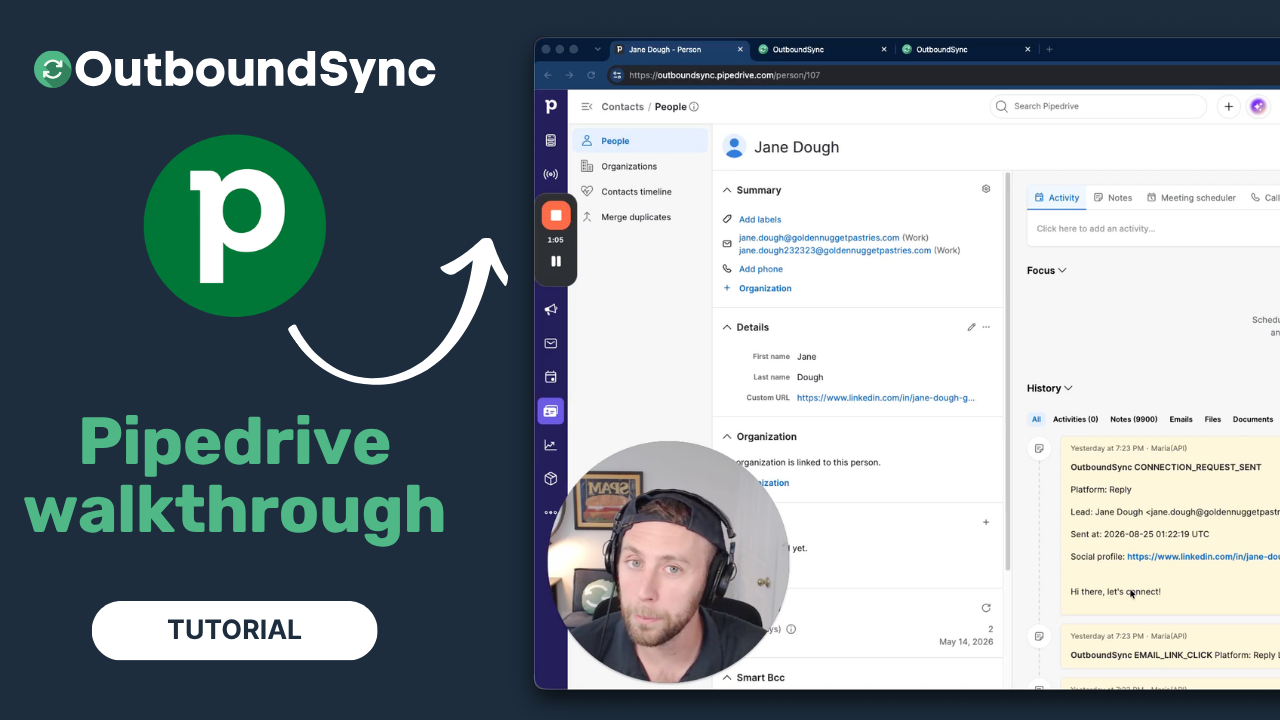
Pipedrive integration walkthrough
Watch a full walkthrough of the OutboundSync Pipedrive integration — connect via the Marketplace, configure your sync, and log outbound activity as Notes.
Harris Kenny