Last updated:
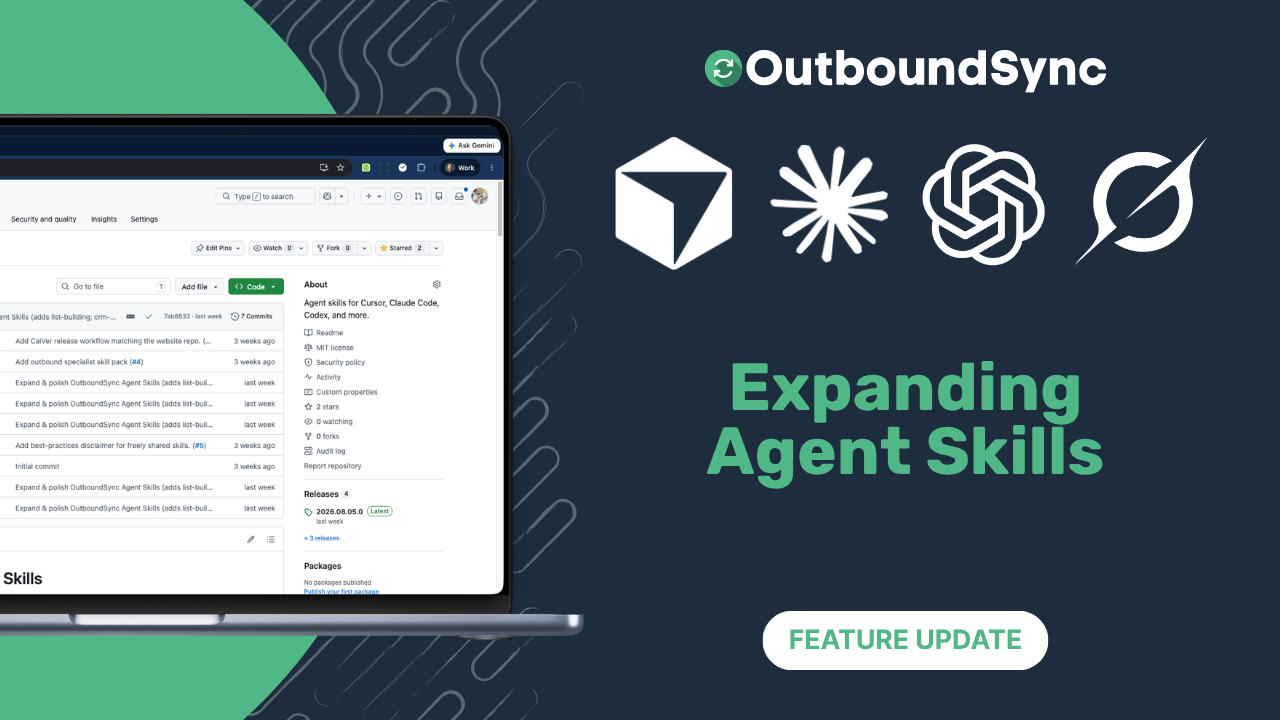
We've expanded OutboundSync Agent Skills
TL;DR. OutboundSync Agent Skills grew from 11 at the July launch to 15. New since then: API, Sync monitoring, omnichannel campaigns, and list building. Watch the walkthrough below, browse the Skills catalog, or reinstall the pack if you set skills up in July.
We launched Agent Skills in July with eleven playbooks — preflight, CRM analysis, copy, deliverability, and directory lookups — so Cursor, Claude Code, Codex, and other supported harnesses could run OutboundSync workflows where campaign work already happens. Since then the public API and Sync Monitoring webhooks have given agents more surface to work with. These four skills are how that surface shows up as useful asks in chat.
Together, API + Skills + Sync Monitoring form one agentic loop. The AI and Agents hub maps how those pieces fit.
What’s new since July
API and Sync monitoring
API is the umbrella for OutboundSync API v1 — auth, scopes, and the vocabulary that keeps Sources, destinations, and Sync Monitoring from getting mixed up. It routes deeper work to the right specialized skill.
Sync monitoring diagnoses OutboundSync-emitted Sync Monitoring webhooks (sync.failed, sync.recovered, deliveries, replay). Default is read-only; writes wait for an explicit one-line confirmation. That is the observability layer for CRM connection errors and recoveries — distinct from SEP → OutboundSync Sources paste URLs (those stay with Preflight).
Both need OUTBOUNDSYNC_API_KEY. Sync Monitoring mutations also need write scope and an account-scoped key. (Preflight still needs a key too, same as in July.)
Try: What can my OutboundSync API key access, and which skill should I use for Sync Monitoring?
Try: Are my OutboundSync Sync Monitoring webhooks delivering sync.failed events?
List building
When you have no list — or a weak one — list building plans or audits how to source prospects across three motions: signal/trigger-based sourcing, contact databases, and waterfall enrichment. It sequences source → verify → enrich → dedupe/suppress → load, and scores an existing plan for freshness, coverage, and compliance gaps. It does not scrape, buy data, call vendor APIs, or write to your CRM. No OutboundSync API key.
Try: I have no list. How do I build one for RevOps leaders at Series A–B SaaS?
Omnichannel campaigns
Omnichannel campaigns structures email and social as one sequence: channel roles, timing, handoffs, and safe volume. It drafts a spine or scorecard — it does not send, activate, or invent reply rates. Pair it with the offer, body, subject, and connection-request skills when you need the actual copy.
Try: Help me structure an omnichannel sequence across email and social.
What should we add next?
Skills are still early for us. If a playbook is missing from the catalog, tell us — the pack is MIT on GitHub, and pull requests are welcome.
Frequently asked questions
What’s new since the July Agent Skills launch?
Four skills: API, Sync monitoring, omnichannel campaigns, and list building. The pack is now 15 skills (up from the 11 we announced in July). Browse the Skills catalog for the full list.
Do these skills need an OutboundSync API key?
API, Preflight, and Sync monitoring need OUTBOUNDSYNC_API_KEY. List building and omnichannel campaigns do not. Create a key under Connected Accounts → API keys, then set it in your environment — never print, log, or commit it.
How do I install the expanded pack?
Use npx skills. Install the full pack with npx skills add https://outboundsync.com or npx skills add outboundsync/skills -g, or install one skill by name:
npx skills add outboundsync/skills --skill list-building -gFull steps: Install skills.
Where should I start if I already installed skills in July?
Pull or reinstall the pack so the four new skills are on disk, then open a new agent session. Start with list building, Sync Monitoring, or an omnichannel ask. The July launch post still covers the install path.
Watch the demo
Transcript
0:00 Hey folks, I’m excited to announce that we have expanded OutboundSync’s agent skills. We’ve got a few here. I want to show you really quickly how they work.
0:09 If you haven’t seen this yet, OutboundSync recently introduced our API and webhooks, and we’ve added skills to give you context in your IDE.
0:21 So if you’re using Claude Code or Cursor, Codex, we want to help your agents and help you navigate not only our product, but we actually want to help you get better results from OutboundSync.
0:31 We want you to see how outbound is working in your CRM and ship better campaigns, get more replies, get more leads.
0:38 So our latest skills are going to help you do that. I’ll show you the new ones. So the first one is a new skill around just how the API works.
0:48 And because we’ve got a lot of endpoints now, and one of them includes this sync monitoring. So you can actually track any errors that happen with your CRM connection, and we can notify you of that error.
0:58 And we can notify you when it’s been resolved so that you know that it’s been fixed. We added a new skill around list building.
1:06 So, this is for teams that are using Apollo, ZoomInfo, and their new GTM.ai product, Freckle, Clay, any number of tools, maybe even a direct subscription to like a LeadMagic or a FindyMail, give you some guidance on how to think about list building and building better lists for your campaigns.
1:24 And we also added something for omnichannel campaigns. So if you’re coordinating across email and social. So those are the new ones.
1:30 We’ve also added a little bit more polishing across the skill directory. Again, this is licensed MIT, it’s open source.
1:36 It’s on GitHub and it’s in the npx repository. You can also look here on OutboundSync.com. You can see in our docs how they work and you can see just a brief introduction to how the skills specifically are designed in sample prompts.
1:52 So for example, this sync monitoring, this is an example prompt that you could send in chat to your agent and it can give you feedback about what’s working, what’s not.
2:00 So, really excited to be expanding our skills. This is a very new thing for us, but definitely think it’s going to be useful for folks and I would love to know what else do you want to see us add.
2:11 As we’re growing our API, we’re adding a lot here. I’ll just show you really quick the endpoints that we’ve added.
2:17 You know, we’ve got probably close to 20 now that are available to allow you to do a ton of stuff with OutboundSync as that connector between your outbound tools and your CRM.
2:29 So, check it out. OutboundSync Agent Skills. Appreciate it. And more to come. Thanks.
Get started
- Install skills
- Browse the catalog (15 skills)
- API · Sync monitoring · List building · Omnichannel campaigns
- July launch post
- Fork the pack on GitHub
Want to see it against your own CRM data? Book a demo.

Founder & President, OutboundSync
15+ years in B2B sales and operations. Former HubSpot Solutions Partner and Smartlead expert. Built the agency that became OutboundSync.
Similar posts
Use Smartlead Manual Step events in your CRM
OutboundSync now supports Smartlead's Manual Step Reached event. When a prospect reaches a manual step in a campaign, OutboundSync writes it to your CRM.
Harris Kenny
OutboundSync MCP 0.4.0 and Agent Skills update
OutboundSync MCP 0.4.0 labels which tools change data and returns clearer errors. Agent Skills now share one status layout and match the live API and MCP.
Harris Kenny
OutboundSync webhooks are live
OutboundSync now POSTs sync.failed and sync.recovered to your HTTPS endpoint — Slack, PagerDuty, n8n, Zapier, Clay — so you know when CRM sync breaks.
Harris Kenny