HubSpot vs Salesforce: which should be your primary for OutboundSync?
If you run HubSpot and Salesforce side by side — most often with a sync between them — there’s a question that comes up the first time you connect OutboundSync: which CRM should be your primary?
OutboundSync syncs outbound email and social activity from sequencers like Smartlead, Instantly, EmailBison, HeyReach, Aimfox, HotHawk, GetSales, and Salesforge into HubSpot and Salesforce, with optional suppression sync back to sequencers. When you run both CRMs, the CRM you make primary is the one OutboundSync writes to directly, with full fidelity — every event, every property, every activity object in its native shape. That CRM becomes the source of truth for outbound. The other CRM, your data warehouse, your reporting tools, and any AI agents or copilots downstream inherit whatever your cross-system syncs carry across.
So the question isn’t really “HubSpot or Salesforce” in the abstract. It’s about which CRM should define the shape of your outbound data — which one holds the granular records that reporting, workflows, automation, and AI need to operate against. The secondary gets a derivative. There’s no universally right answer. Here’s how the two OutboundSync integrations differ, and a short framework for choosing.
The shared starting point
Both integrations work the same way at a high level. OutboundSync receives webhook events from your sequencer — Smartlead, Instantly, EmailBison, HeyReach, Aimfox, getsales, and others — looks up the prospect in your CRM by email, and writes structured records: activity, field updates, optional new records, and optional company/account associations.
For a deeper walkthrough of each side, see the dedicated posts on how outbound email sync to HubSpot works and how outbound email sync to Salesforce works.
The differences worth comparing are in what each integration writes — the data shape it creates — and how that shape is consumed by reporting, automation, and AI downstream.
Side-by-side: what’s different
| Capability | HubSpot | Salesforce |
|---|---|---|
| Email activity object | Native email engagement on the Contact timeline | EmailMessage (Enhanced Email) or Task — pick one |
| Tasks / follow-ups | HubSpot Tasks for replies when enabled | Configurable as the primary activity object, including configurable subject lines |
| Social activity | Native HubSpot social activity types (sent, reply, connection) on the timeline | Task records + Lead/Contact field updates |
| Workflow / automation surface | App Timeline Events — usable as native workflow and list triggers | Field updates on Lead/Contact drive Flow entry criteria |
| Person object model | One Contact object | Lead or Contact, configurable lookup order |
| Company / account | Company auto-create and update, plus owner auto-assignment | Account association via the Contact (assignment via queues / Flow) |
| Record matching | Email match, with optional custom ID field | Email match, with optional custom ID field; update-only mode available |
| Blocklist / suppression | List-based, bidirectional, includes company blocklists and category filters | Report-based exclusion lists, rich-text field support |
| Setup path | OAuth via the HubSpot App Marketplace (minutes, with app-install permissions) | External Client App + Consumer Key/Secret + System Platform User (~15–30 minutes for an admin) |
| Custom fields | Custom contact properties | Custom fields on Lead, Contact, and Task |
A few of these warrant a closer look.
Three surfaces in HubSpot: engagements, timeline events, and tasks
This is the part most teams underestimate. OutboundSync writes outbound activity into HubSpot on three surfaces at once:
- Native email engagements. The standard HubSpot Engagement object — the same one that holds emails from connected inboxes and the HubSpot sequences tool. Outbound sends, replies, opens, and clicks show up on the contact timeline alongside every other CRM email, so reps see a complete conversation history without learning a new UI element.
- App Timeline Events. A separate, custom event type that’s available as a native enrollment trigger and filter in workflows and lists. This is the automation surface — “when reply received, enroll in nurture sequence” is one hop.
- HubSpot Tasks. OutboundSync can create HubSpot Tasks for replies so reps get a follow-up queue without leaving the CRM. Toggleable per webhook.
Three surfaces, one canonical shape: an outbound contact in HubSpot has its activity rendered as native engagement, as a workflow-triggerable event, and as an actionable Task — all at once.
One activity object in Salesforce: EmailMessage or Task
Salesforce takes a different approach. With the direct OutboundSync → Salesforce integration, each outbound email is logged as either an EmailMessage (Enhanced Email) record or a Task — not both. You pick one during setup and that’s the canonical shape:
- EmailMessage. The email-shaped option. Structured email storage and Activity Timeline visibility. If you want downstream consumers reading outbound email as email records, this is the surface.
- Task. The more configurable option, often chosen by orgs whose reports, dashboards, Flows, and assignment logic already revolve around the Task object. It supports a configurable subject line with static text and variables like event type, campaign, sender, recipient, and email subject, plus a specific Salesforce Task Type during setup.
For automation, Salesforce doesn’t have a native object for third-party timeline events the way HubSpot does. Automation goes through field updates on the Lead or Contact instead, with Flows entering on those field changes. The result is similar — alert an AE, change a Lead status, kick off an Opportunity — but it takes more up-front mapping, and the canonical “outbound activity” record is just the one object you chose: EmailMessage or Task.
It’s worth separating two scenarios here: this is what happens with the direct Salesforce integration. If you’re running HubSpot as your OutboundSync primary and letting your HubSpot ↔ Salesforce sync push activity downstream into Salesforce, the shape of what lands in Salesforce depends entirely on how that cross-CRM sync is configured — not on these OutboundSync settings.
Social activity
Most teams running outbound aren’t just sending email. Social touches from Aimfox, HeyReach, HotHawk, SalesRobot, GetSales, and Salesforge flow through OutboundSync the same way email does.
In HubSpot, social activity lands as native social activity types (sent, reply, connection request, etc.) on the contact timeline, plus App Timeline Events for workflow triggering. Reps see the social outreach in the same place they see the email outreach.
In Salesforce, social activity is logged as Tasks with Lead or Contact field updates carrying the campaign and outcome data. (EmailMessage is reserved for email — social doesn’t fit that object, so Tasks carry it.) It’s effective, but it doesn’t get the dedicated visual treatment that HubSpot’s native activity types provide. If social is a meaningful channel for your team, HubSpot’s UI tends to feel more natural day-to-day.
Lead vs. Contact
This only matters in Salesforce. Most outbound teams send cold prospects to the Lead object so they can run conversion when the prospect qualifies. Some teams skip Leads entirely and create Contacts directly. OutboundSync supports either approach and lets you set the lookup order.
HubSpot has no Lead/Contact split — every prospect is a Contact, with a Company auto-associated by email domain when possible. Simpler, with less flexibility for orgs that lean on the Lead lifecycle.
Suppression lists
Both integrations sync exclusion lists back to your sequencer so you don’t email customers, opted-out prospects, or competitors. HubSpot has the richer surface here: native list-based suppression at both the contact and company level, plus category-based filtering. In Salesforce, exclusions are driven by Salesforce Reports, with rich-text field support for the more nuanced cases.
Setup effort
HubSpot is the lighter lift — an OAuth flow from the App Marketplace listing, without Salesforce-style External Client App setup. The installing user still needs the right HubSpot permissions. Salesforce takes more up-front configuration: an External Client App, OAuth credentials, and a System Platform User with the right permission set. Once it’s done, it’s done — but plan for an admin’s time in the first session.
Which CRM should be your primary?
HubSpot is the stronger primary when:
- HubSpot is your system of record for the customer lifecycle, and your workflows, lists, and reporting need to operate on full-fidelity outbound data.
- App Timeline Events as native workflow triggers, native email engagements, and native social activity types are the canonical shape you want downstream systems (BI, data warehouse, Breeze AI, other agents) to inherit.
- You rely heavily on HubSpot lists — customer suppression, company blocklists, competitor exclusions — and you want bidirectional sync with the sequencer.
- You want automatic Contact and Company owner assignment as activity lands — OutboundSync handles this natively in HubSpot.
- Your team lives in HubSpot day-to-day, and HubSpot is the surface your AI assistants and copilots are built around.
Salesforce is the stronger primary when:
- Salesforce is your system of record for pipeline and revenue, and your dashboards, reports, and forecasts are built on Lead/Contact/Account, EmailMessage, and Task.
- You want EmailMessage (Enhanced Email) as the canonical shape of outbound activity, so downstream systems consume structured email records.
- You use the Lead → Contact conversion workflow and want cold outbound prospects landing as Leads — that lifecycle defines your data model.
- AEs work primarily in Salesforce, and the granular activity that drives assignment rules, escalation, and Flow needs to originate there.
A short decision framework
Walk through these four questions in order. They tend to converge on the same answer.
- Which CRM is your system of record for pipeline and revenue? That CRM needs the granular, native data shape — it shouldn’t be receiving outbound activity secondhand through a sync that strips or remaps fields.
- Which CRM defines the data model that downstream systems consume? Your BI, data warehouse, AI agents, and copilots all key off whichever CRM holds the canonical shape. Making that CRM the OutboundSync primary keeps downstream consumers working against the richest data.
- Where do your reps spend most of their day, and which CRM hosts the workflows and automation that need to fire on outbound events? That CRM benefits most from receiving activity natively — reps see complete context, and workflows trigger on real records, not field-mapped derivatives.
- Are you converting cold prospects through a formal Lead → Contact workflow? If yes, Salesforce-primary is the natural fit because the Lead lifecycle defines your canonical data model. If no, HubSpot’s flatter Contact model keeps things simpler.
Most teams land on a clear answer after question one or two.
What about running both?
OutboundSync can write to both CRMs at once, and some teams do. The upside is that each CRM gets the native, full-fidelity data shape directly from OutboundSync, instead of one inheriting a derivative from the other. The downside is that you now have two CRMs claiming to be the system of record for outbound — and both are also being touched by the HubSpot ↔ Salesforce sync. That ambiguity creates real reconciliation work: which record is canonical, which field wins on conflict, which CRM does your downstream BI or AI agent actually trust?
One mitigation: Salesforce supports an update-only mode that skips record creation entirely and only writes to Leads and Contacts that already exist. If HubSpot is your true primary and you just want outbound activity to appear in Salesforce for AEs without spawning duplicate records on top of what your cross-CRM sync already creates, that’s the toggle to flip.
Dual-write is a valid choice when both CRMs are mission-critical and you’ve decided that each owns a different slice of the data model. For most teams, picking one primary and letting the cross-CRM sync feed the other is cleaner — and gives downstream consumers a single canonical shape to work against.
The short version
Pick the CRM that should hold the canonical shape of your outbound data — the system of record whose reporting, workflows, and AI agents need full-fidelity records to operate against. Make that one your OutboundSync primary, and let your existing HubSpot ↔ Salesforce sync feed the other side. There’s no wrong answer — only the one that matches which CRM your downstream stack is built around.
If you want to walk through this for your specific stack, contact us and we’ll help you map it out.

Founder & President, OutboundSync
15+ years in B2B sales and operations. Former HubSpot Solutions Partner and Smartlead expert. Built the agency that became OutboundSync.
Similar posts
Running outbound with Supabase monitoring your TAM
Companies keep customers in the CRM and the rest of the TAM in a database. How OutboundSync forwarding, API, webhooks, and MCP sit next to Supabase.
Harris Kenny
Build vs buy: getting outbound data into your CRM
Should you build your outbound-to-CRM sync with Zapier, Make, or n8n, or buy it? Use OutboundSync's three calculators to run the build-vs-buy math.
Harris Kenny
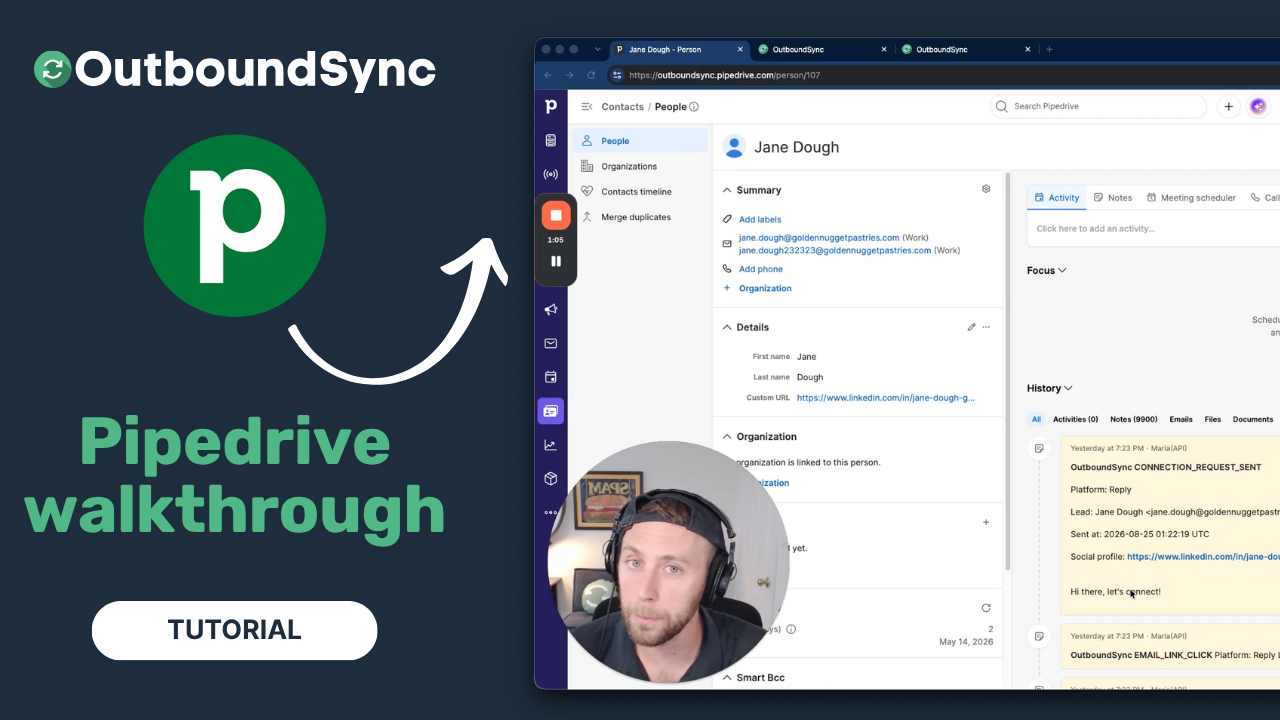
Pipedrive integration walkthrough
Watch a full walkthrough of the OutboundSync Pipedrive integration — connect via the Marketplace, configure your sync, and log outbound activity as Notes.
Harris Kenny