Salesforce outbound integration and orchestration
Every outbound send, reply, and unsubscribe—logged on the right record, routed to the right rep, and visible in your Salesforce reports. Across email, social, and phone.
Trusted by leading Salesforce GTM teams
 EliseAI
  Yotpo
Yotpo  Ona
Ona  HG Insights
  Finout
  Hologram
 Connect outbound platforms to Salesforce with full control
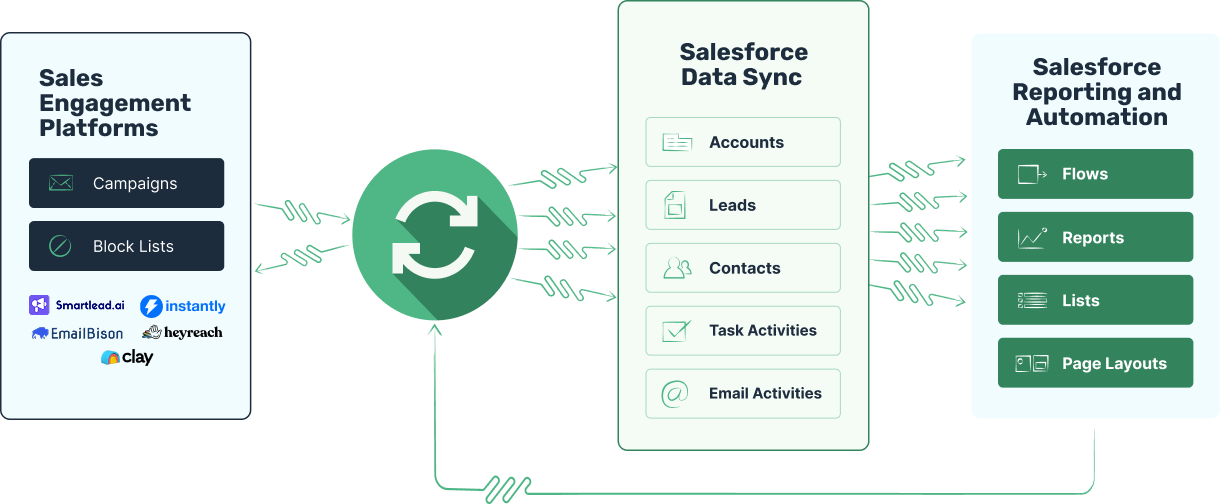
Run outbound from Salesforce with complete visibility
Outbound activity shows up in Salesforce like it was sent from Salesforce. Over 100 supported fields across leads, contacts, and accounts with full Flow compatibility.
Revenue attribution
Know which opportunities were created, or influenced, by your outbound campaign efforts.
Lead routing
Get new replies directed to the right people as leads or contacts so you can follow up.
Timeline events
Log every email sent, reply, open, click, and more on the lead, contact, and account objects.
Custom fields
Take advantage of over 20 custom fields in your Salesforce flows, reports, and more.
Block lists
Block email addresses, or entire domains, off a report in Salesforce. No more CSV exports.
Account-based selling
Associate activities with leads, contacts, and accounts to track activity and followup.
Native reporting
Create your own reports and dashboards in Salesforce to monitor your outbound results.
Custom alerts
Decide when and how to alert your sales reps. Send emails, create tasks, Slack messages, and more.
Handle the inbox
Review replies in one place
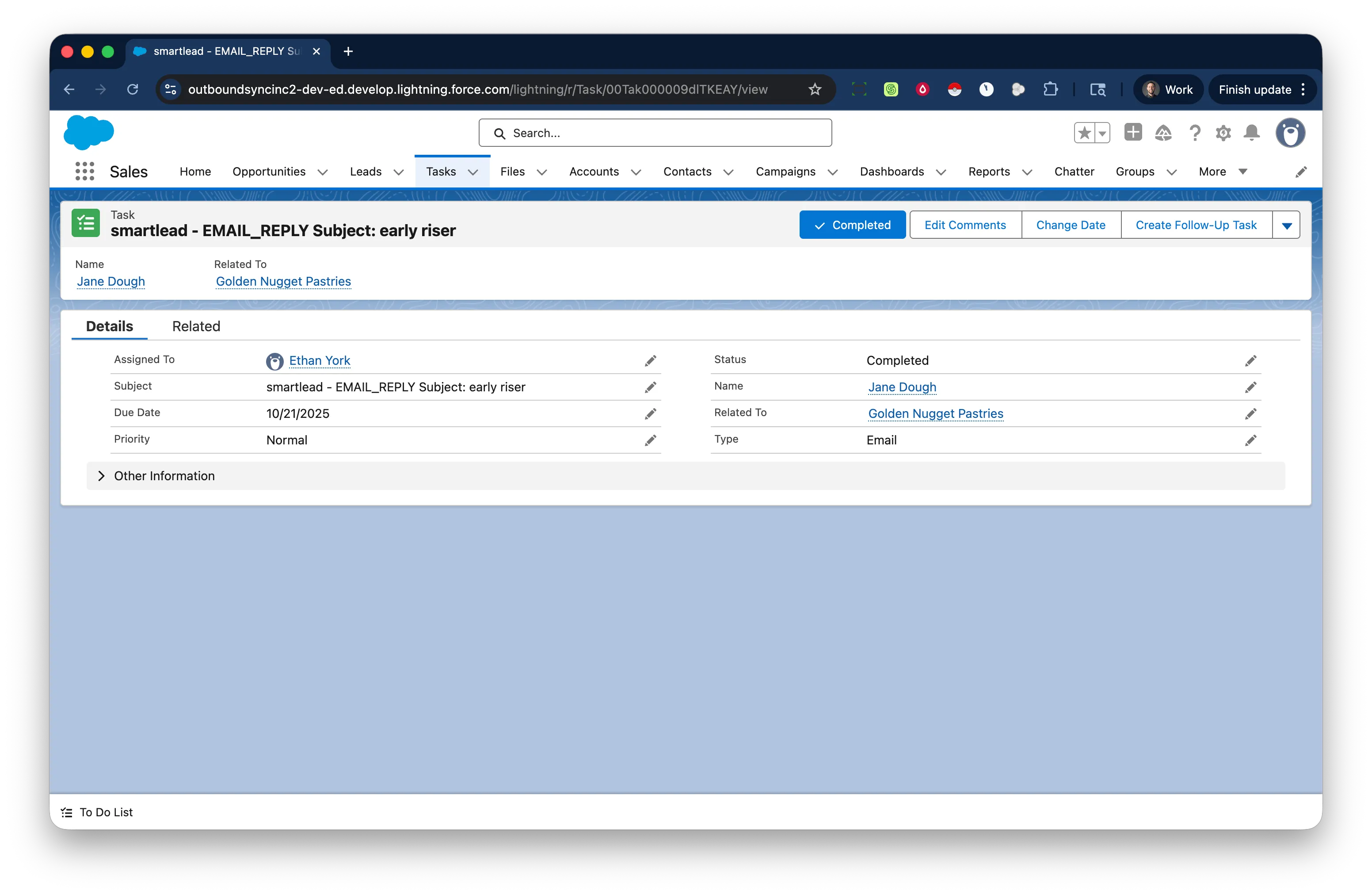
Every reply lands on the right record—as a task or email on leads, contacts, and accounts. Use custom task subject lines for Flows and Reports, then route, assign, and follow up from Salesforce.
Automate your work
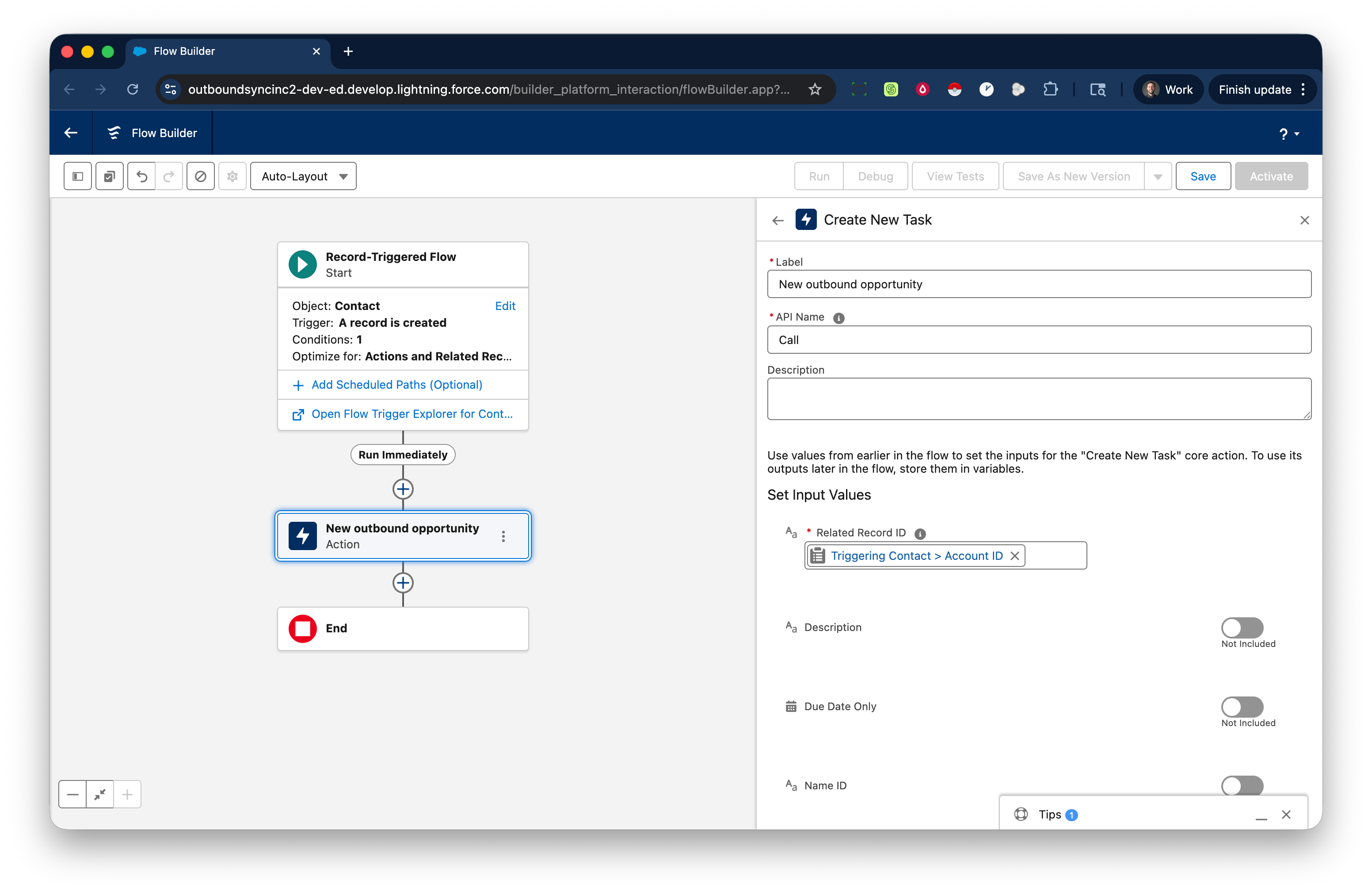
Create advanced Flows
Trigger Flows from outbound activity—update fields, assign owners, send notifications, and enrich records with tools like Agentforce and Clay. Then go omnichannel from Salesforce by phone or social.
Manage your lists
From reports to block lists
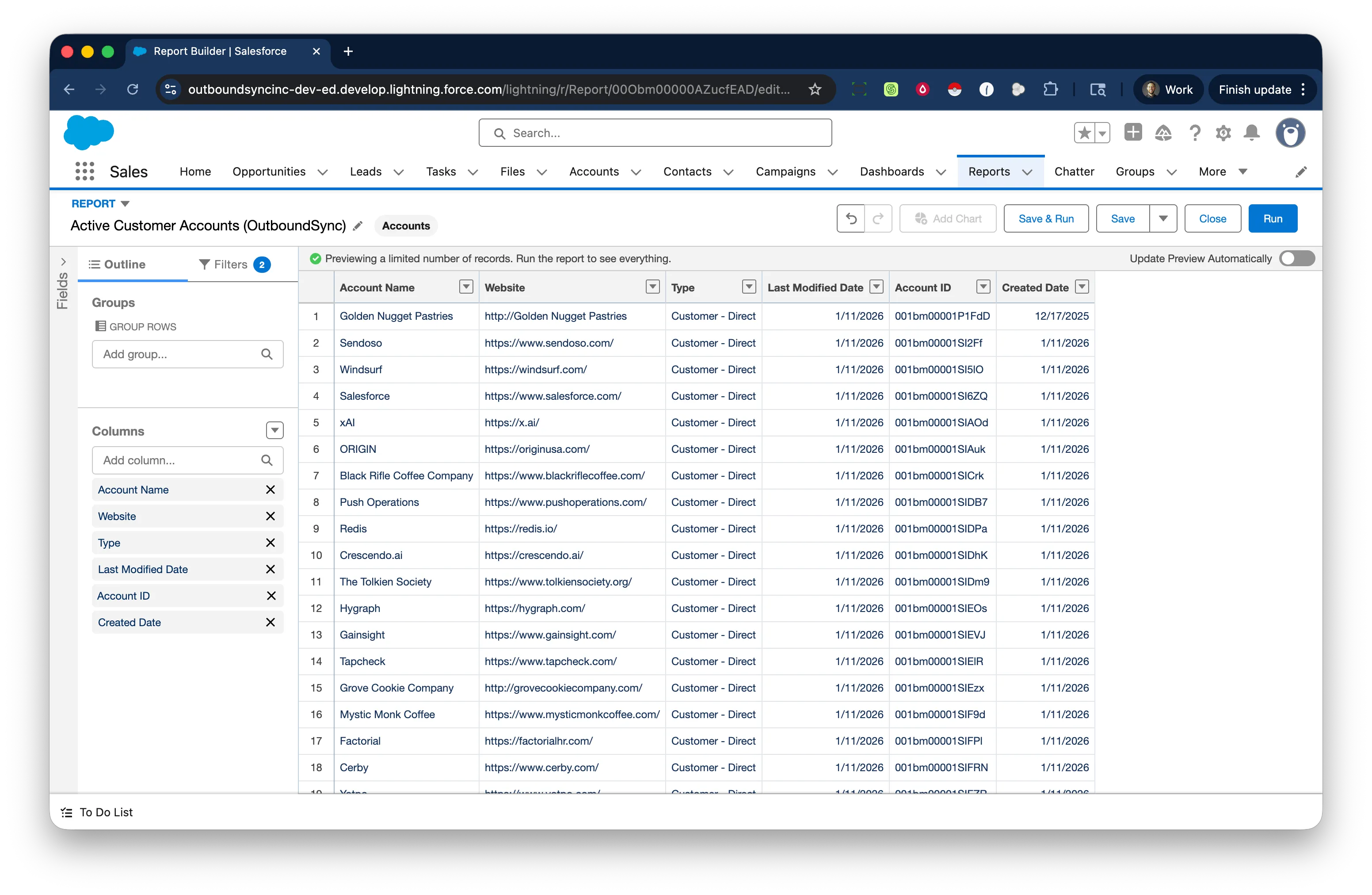
Never contact the wrong people. Build a report in Salesforce, and OutboundSync keeps your outbound platforms in sync—including domain-level blocks so nobody at a company gets cold outreach.
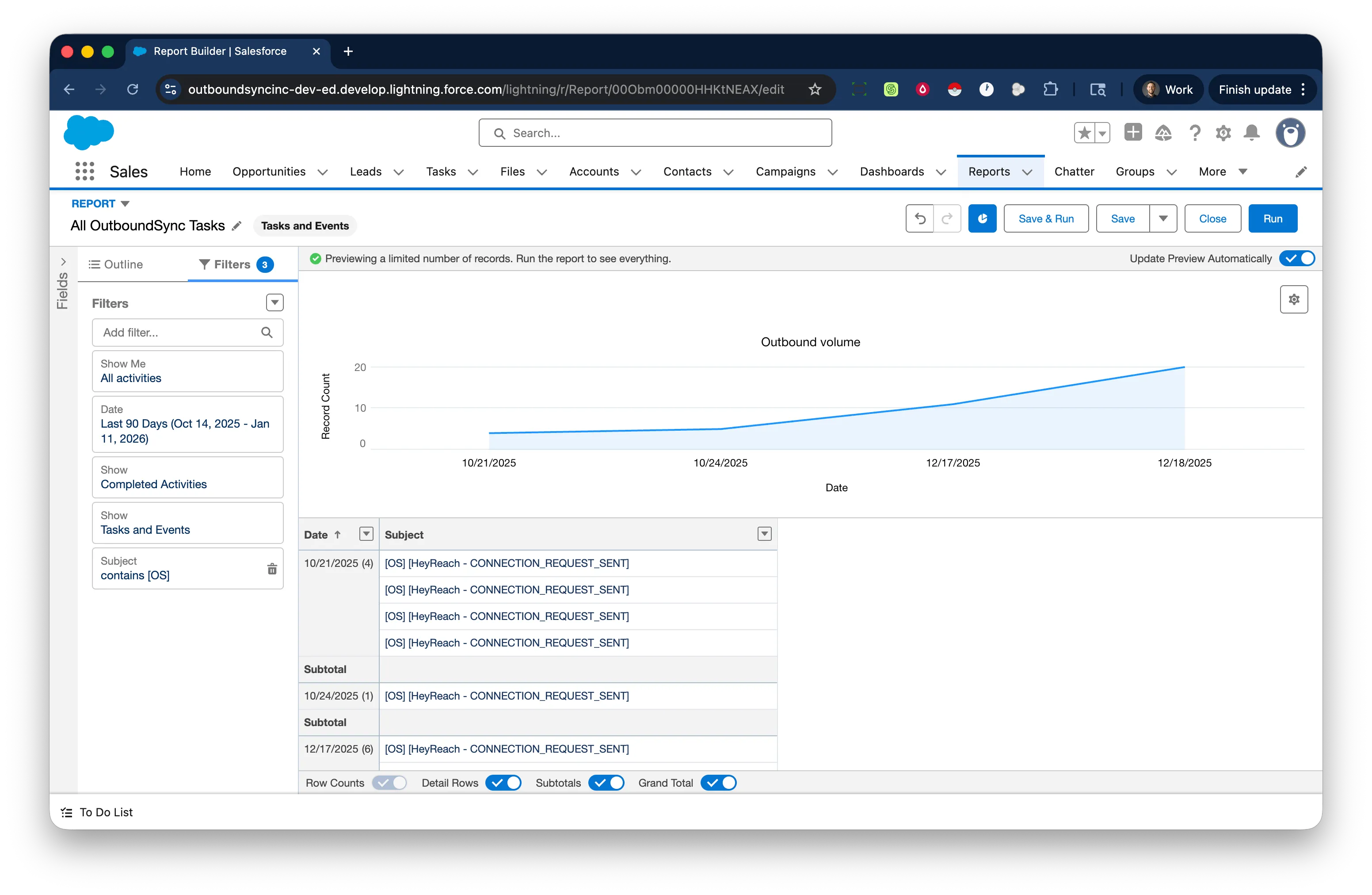
See what's happening
Native reports and dashboards
See outbound results without leaving Salesforce. Build dashboards to track sending volume, replies, opens, and more—daily, weekly, or monthly.
Deciding which Salesforce edition you need
OutboundSync works across Salesforce editions, but each edition has different API limits, features, and setup requirements. Here's what you need to know before connecting OutboundSync to Salesforce.
Professional
Limited support - API limits may restrict ongoing sync.
- Requires add-on for sufficient API capacity
- Base API varies (add-on may be required)
- 1,000 API calls per user license
- Best for very small teams (fewer than 5 reps)
- Requires close API usage monitoring
- Admin available during setup recommended
Most popular
Enterprise
Recommended - Best balance of capability, API capacity, and cost.
- 100,000 base API calls per 24 hours
- 1,000 API calls per user license
- Example: 25 users ≈ 125,000 calls/day
- Reliable for scaled outbound with multiple sequences
- Activity logging for attribution and reporting
- Low-risk setup experience
Unlimited
Ideal - Best for scale and high activity volume.
- 100,000 base API calls per 24 hours
- 5,000 API calls per user license
- Example: 25 users ≈ 225,000 calls/day
- Built for high-volume outbound teams
- Maximum API headroom for growth
- Enterprise-grade features and support
Certified and trusted



Salesforce integration FAQ
-
What data does OutboundSync write to Salesforce?
OutboundSync writes outbound activity like sends, replies, opens, clicks, and status updates to Salesforce objects so teams can power Flows, reporting, and attribution. -
Which Salesforce objects can be updated?
OutboundSync can write to Leads or Accounts/Contacts, and store activity as Tasks or EmailMessage records, depending on your configuration. -
Can we manage block lists from Salesforce?
Yes. Build a Salesforce report as your exclusion source and OutboundSync will keep block lists synced to your connected outbound platform. -
Does this require custom middleware?
No. OutboundSync provides a dedicated Salesforce integration path, so teams can avoid maintaining custom middleware for core outbound activity sync. -
Does this support revenue attribution workflows?
Yes. OutboundSync brings structured outbound activity into Salesforce so teams can build attribution logic, dashboards, and follow-up automation in native Salesforce workflows.