Using HubSpot AI Connectors with OutboundSync
We’ve added new help articles on connecting HubSpot to ChatGPT and Claude, plus using OutboundSync data in AI prompts for outbound insights. You can pull actionable insights directly from your unified CRM data using AI—without relying on pre-built dashboards—and quickly optimize campaigns based on performance metrics.
OutboundSync now supports:
- Connecting HubSpot to ChatGPT for AI access to CRM data
- Connecting HubSpot to Claude for AI access to CRM data
- Example prompts to analyze OutboundSync data in HubSpot: best and worst campaigns, reply times, and common message traits
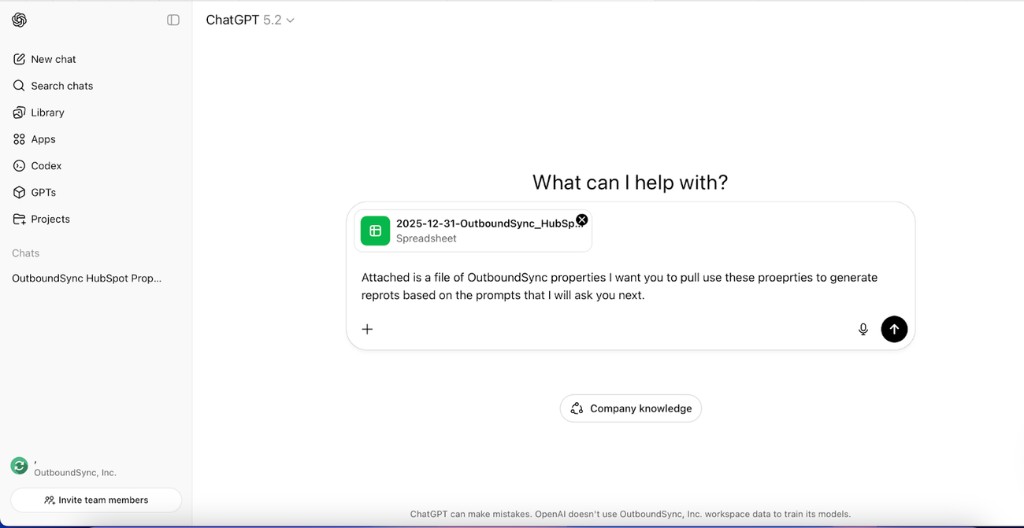
For example, you can attach a file of OutboundSync properties and ask your AI to generate reports based on your prompts—then use the same data for ongoing analysis once your connector is set up.
These articles are available now in our Help Center:
Check them out to get started, or reply with any questions.
Transcript
[0:00] Hey folks, happy Friday. I’m excited to announce that we’ve got three new things in OutboundSync’s knowledge base that just show where we’re going in terms of our AI roadmap.
[0:11] Now everything I’m showing you right now, we’ve actually had users doing these things for quite a while, but things have stabilized enough that we’ve got some great documentation around it, and there’s a lot happening that I’ll talk about at the end of this video.
[0:22] But this is for HubSpot. HubSpot has released connectors for ChatGPT and Claude. And these have been out for some time, so we’ve got links to very stable, easy to use documentation on how to get them connected.
[0:36] There’s this Claude chat, and then, you know, ChatGPT’s just kind of regular chat interface, not, um, you know, the Codex IDE tool.
[0:44] So you can basically get your AI tool connected to your CRM. And then the question is, like, what do you do about it?
Why HubSpot as system of record
[0:51] Like, why? Who cares? The reason why this is so important, the reason why OutboundSync has come into be, like, why it exists at all, is that HubSpot is a system of record.
[1:04] And so it is the single place that meetings and deals and outcomes and data from all these disparate sources, like product analytics and website traffic.
[1:12] And advertising come into one place. And so in-platform analytics that you’d get from a sequencer, like an Instantly, or a Smartlead or an EmailBison, or a HeyReach, it’s very useful to understand outbound performance.
[1:29] Specifically to see how outbound itself is running. But to look at revenue, conversion, like, company, business metrics, you need to get that full system in place, in one place.
Example prompts and outputs
[1:40] So we’ve got a really good article that includes a bunch of prompts for HubSpot connectors that are using OutboundSync data once it gets pushed in to HubSpot.
[1:50] Um, so we’ve got examples of questions here. I’ll just show you, um, some specific outputs that we generated because these are, I think are pretty cool.
[1:57] Best performing campaign. Worst performing campaign. Here you can see it’s ranking them, and it’s including some insight about how many replies and the notes and things like that.
[2:06] Uh, fastest reply times. Uh, and then which messages are driving those reply times? Another one I thought that was super cool here was what do messages have in common?
[2:17] In terms of key traits, what’s being mentioned inside of these messages, evidence being used, and the impact in terms of performance.
[2:23] You know, OutboundSync is pushing, literally hundreds of different properties in HubSpot across timeline events and custom contact properties, and associating up to company, uh, the company object as well.
Post-dashboard era and optimization
[2:35] So because of that, we’ve got fingerprints in a lot of places, and so, you know, historically the answer was build a dashboard.
[2:41] It’s pre-built for you, it has the answers for you. Uh, and this is like the post-dashboard era, where ChatGPT or Claude can go in there and just get the insights.
[2:51] Pull them out. Provide them to you. And then if you connect via MCP to some of the other tools, you can immediately implement changes to your campaigns.
[3:00] For example, you can look at the high open rate and low reply rate gap, or you can look at the reply to meeting conversion.
[3:07] And then you can immediately make changes in your campaigns. Pause the low performers. Accelerate the high performers. Maybe just optimization for something that’s kind of in the middle, right?
[3:17] You go back to the copy, you change the copy. You can also look at like longer term responder commonalities. So for people who reply within 48 hours, you know, what do they look like?
[3:28] Uh, what industries? Uh, job titles, seniority, company size, all those things. And if you’re enriching, and if you have fully enriched records in HubSpot, you can, you can figure out even more, right?
[3:36] Right. But it’s not a requirement because these tools are also connected to the web so they can do real time enrichment as needed based on campaign results and performance.
Where we’re going
[3:45] So, we’re super excited about what this represents, uh, today. I think this is like a very accessible use of AI for many go-to-market teams that are using this tech stack.
[3:56] Um, where we think things are going is, you know, a sp- especially with the emergence of cron jobs within, uh, some of these desktop apps that people are starting to use now.
[4:07] Um, repeating these queries and then consolidating those learnings, applying those learnings over time. We’re seeing some really interesting use cases for OpenClaw, specifically for outbound.
[4:18] Uh, and again, that’s like a case where you can run this cron job, you can run this repeat prompt and then trigger action based.
[4:24] We’ll see you in on that prompt that’s being run. Um, and then we’re also, of course, ourselves as a data destination.
[4:31] We’re looking at our own API, MCP server and webhook features that we’re developing, um, to make this data available to agents quickly and easily too.
[4:40] So we’re super excited about what’s going on and how outbound is changing. Um, this is something where we’re seeing teams and agency partners.
[4:48] Already. You find really good results with what we’re sharing here in these articles. Uh, and then there’s, you know, some moonshot kind of wild stuff that we’re working on too.
[4:56] So that’s what’s new here lately. I hope you’re doing well and I hope you have a great day. Thanks.

Founder & President, OutboundSync
15+ years in B2B sales and operations. Former HubSpot Solutions Partner and Smartlead expert. Built the agency that became OutboundSync.
Similar posts
How does outbound email sync to Salesforce work?
Learn how outbound email sync to Salesforce works: what objects get created, how contacts and leads are matched, and what you need to set it up with tools like Smartlead and Instantly.
Harris Kenny
How does outbound email sync to HubSpot work?
Learn how outbound email sync to HubSpot works: what data moves, how contacts are matched, and what you need to set it up with tools like Smartlead and Instantly.
Harris Kenny
What is outbound CRM integration?
Outbound CRM integration connects sales engagement platforms like Smartlead and Instantly to HubSpot or Salesforce, automatically syncing campaign activity as structured data.
Harris Kenny